


After the invoice data has been extracted by artificial intelligence (AI) and submitted to GP, it will be pushed to the Mekorma Invoice Capture Validation window for further processing. This is a Mekorma work table with all the captured invoices listed. To sort the invoice data by individual column, click on the column header. You can validate the transaction data accuracy, adjust the entry as needed, and instruct the system to create a transaction – either a payables transaction, or a purchasing invoice transaction.
Invoices in this window can be viewed by all users simultaneously. If an invoice is processed by one user, and another user tries to process the same invoice, the second user will receive a message.
To open the Mekorma Invoice Capture Validation window go to: Mekorma area page > Transaction > Payables > Mekorma Invoice Capture Validation.
To limit the number of records that are displayed in the window, enter a number in the Maximum Records to Display field.
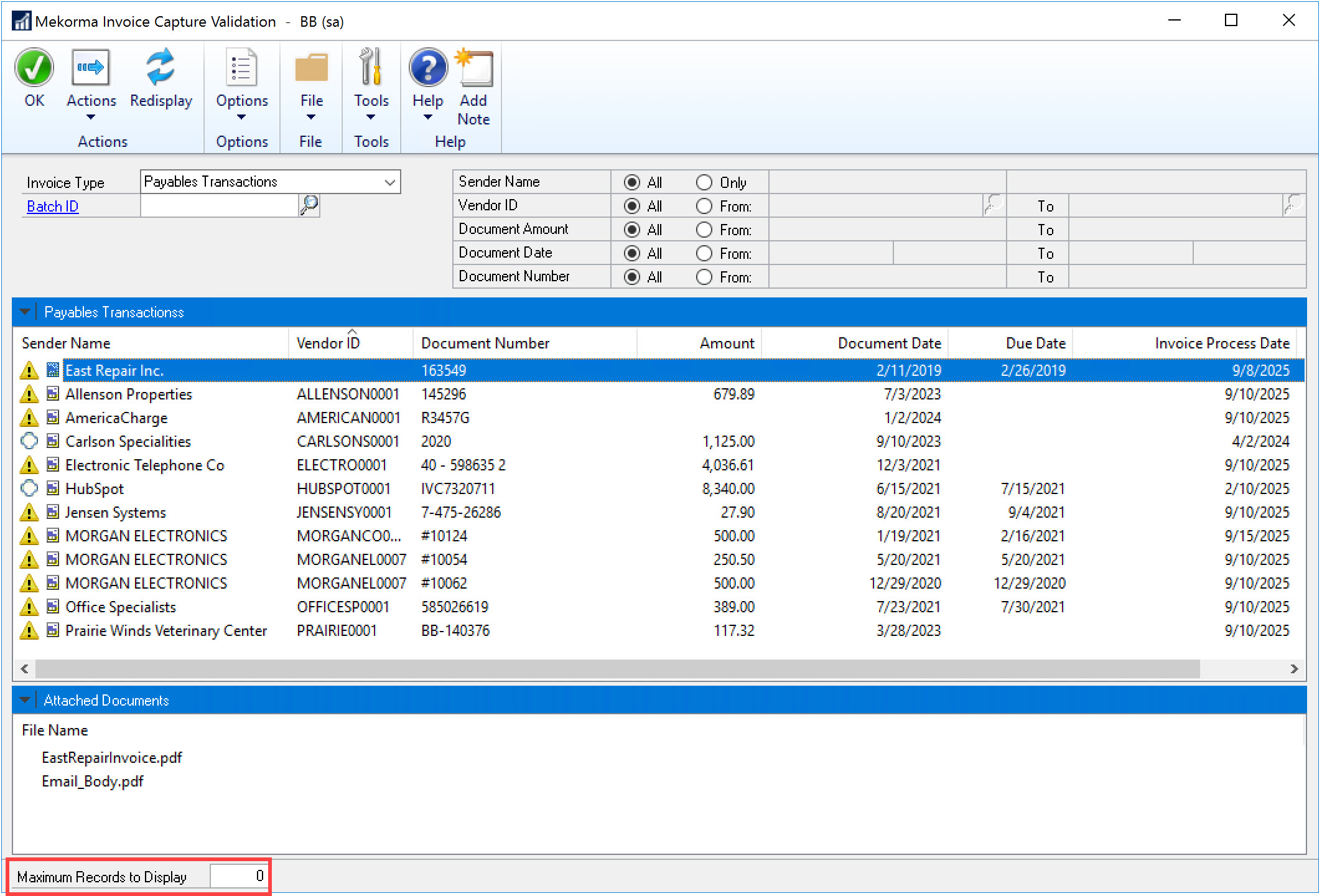
If you are creating a payables transaction, follow this validation checklist:
If you are creating an invoice for a purchase order, follow this validation checklist:
- Review the Invoice Data
- Handle the Attachments
- Create a Purchase Order Invoice
- Delete Bogus Invoices
In addition to the information about the process flow, we have 3 videos explaining more information about how the AI Engine process invoices:
- How AI processes multiple invoices in one email from one vendor
- How AI processes multiple invoices in one email from different vendors
- How AI processes an invoice in the email body
If you’re using Binary Stream’s Multi-Entity Management (MEM)®
If you’re using MEM, the Entity ID field is displayed. Users can only view invoices for the entity to which they have access.
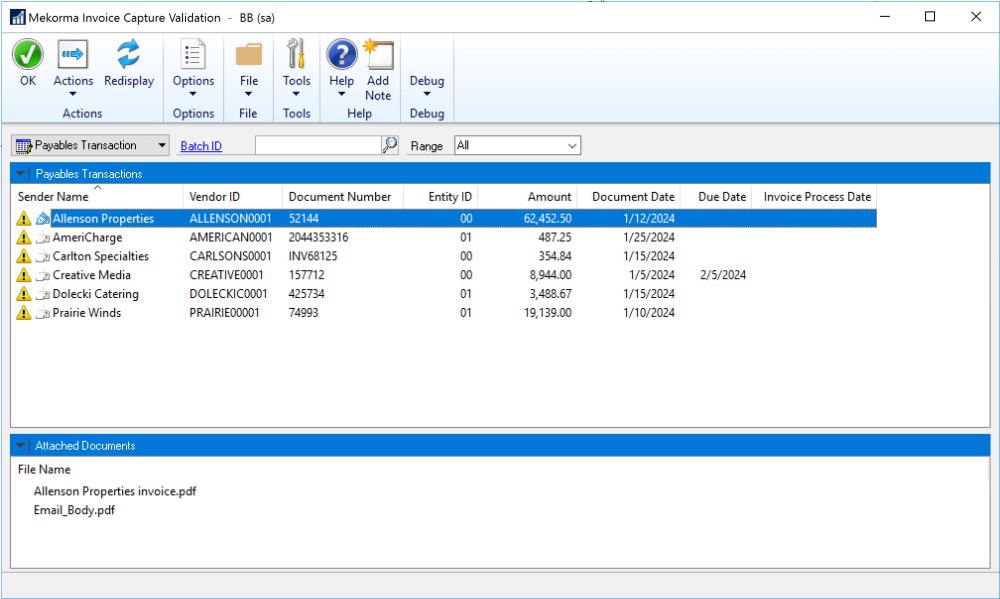
If you are processing multiple invoices together, any lines that do not have the same entity as the batch entity will not be able to be marked.
Need more help with this?
We value your input. Let us know which features you want to see in our products.