


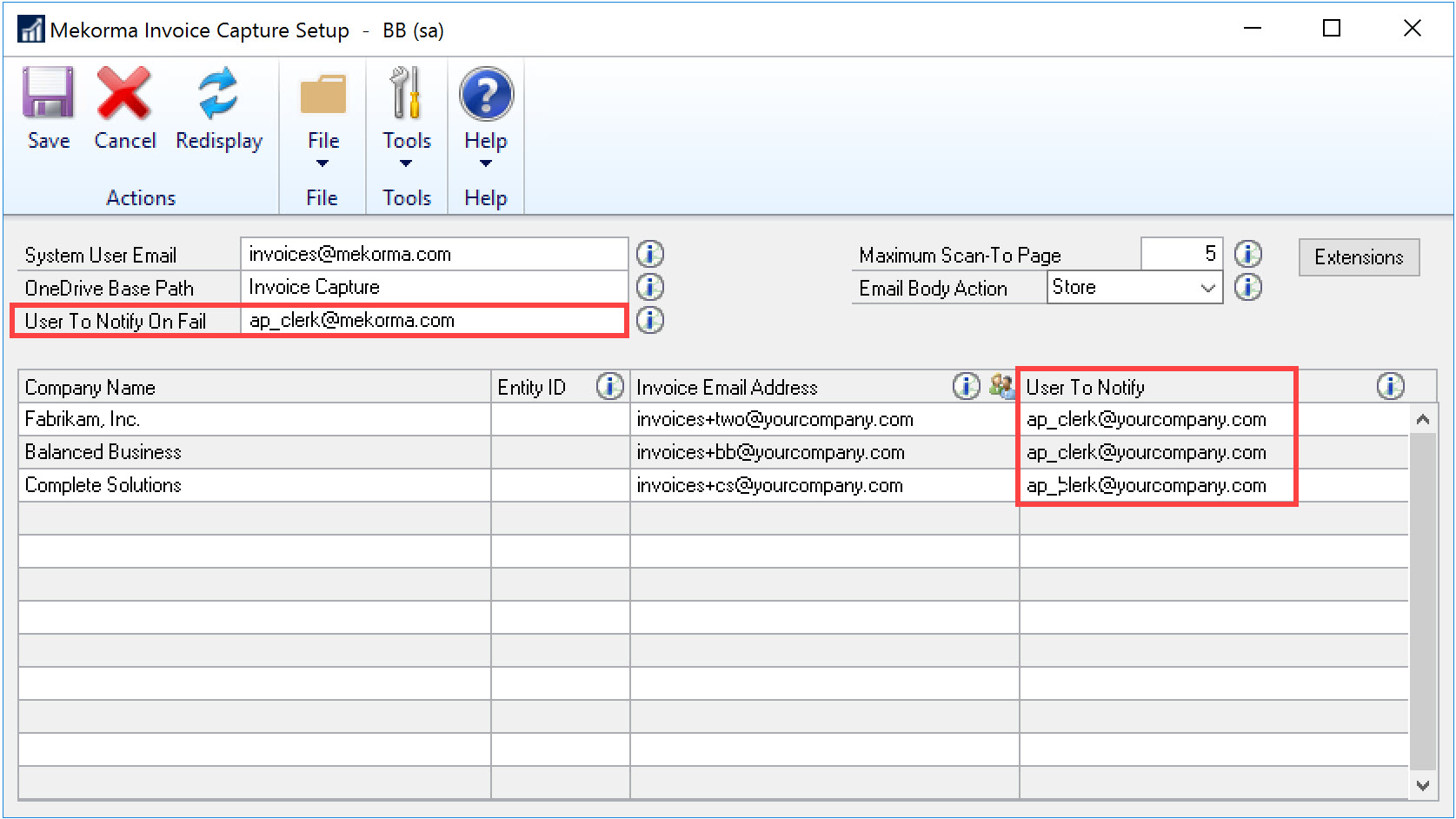
You have the option to designate a user who will be notified whenever an invoice email is ready to verify in Dynamics GP. This can be a separate user for each Dynamics GP company or you can designate the same user for more than one of the companies. You can designate only one notification email address—if you need multiple people to be notified you will have to set up an email group in Active Directory.
Enter one or more email addresses in the User to Notify field. The system will notify the user once an invoice email has been fully processed by the Power Automate flow and is ready to be verified in Dynamics GP. Note that the User to Notify email address cannot be the same as any email address in the Invoice Email Address fields or email associated with the Power Automate Environment. If you do not wish to receive notifications for each invoice that is received, this field is not required.
To designate a user to be notified when an invoice email does not process completely, enter an email address in the User to Notify On Fail field. The email notification will include the invoice attachment, so you can resolve the issue and resubmit the invoice.
Need more help with this?
We value your input. Let us know which features you want to see in our products.