


You can validate vendor records when processing payables transactions. Mark the Validate Before Printing checkbox in the Mekorma Vendor Validation Company Setup window and enter the number of days for the validation cycle. Vendor records that have not been validated within that number will be validated before checks are printed. The default number is 90 days. You can also choose to perform a mass validation before you print checks.
If a vendor record fails the validation while processing a batch, you will receive an error. You will be unable to continue processing that batch until all transactions for that vendor have been removed.
Validate Before Printing Checks
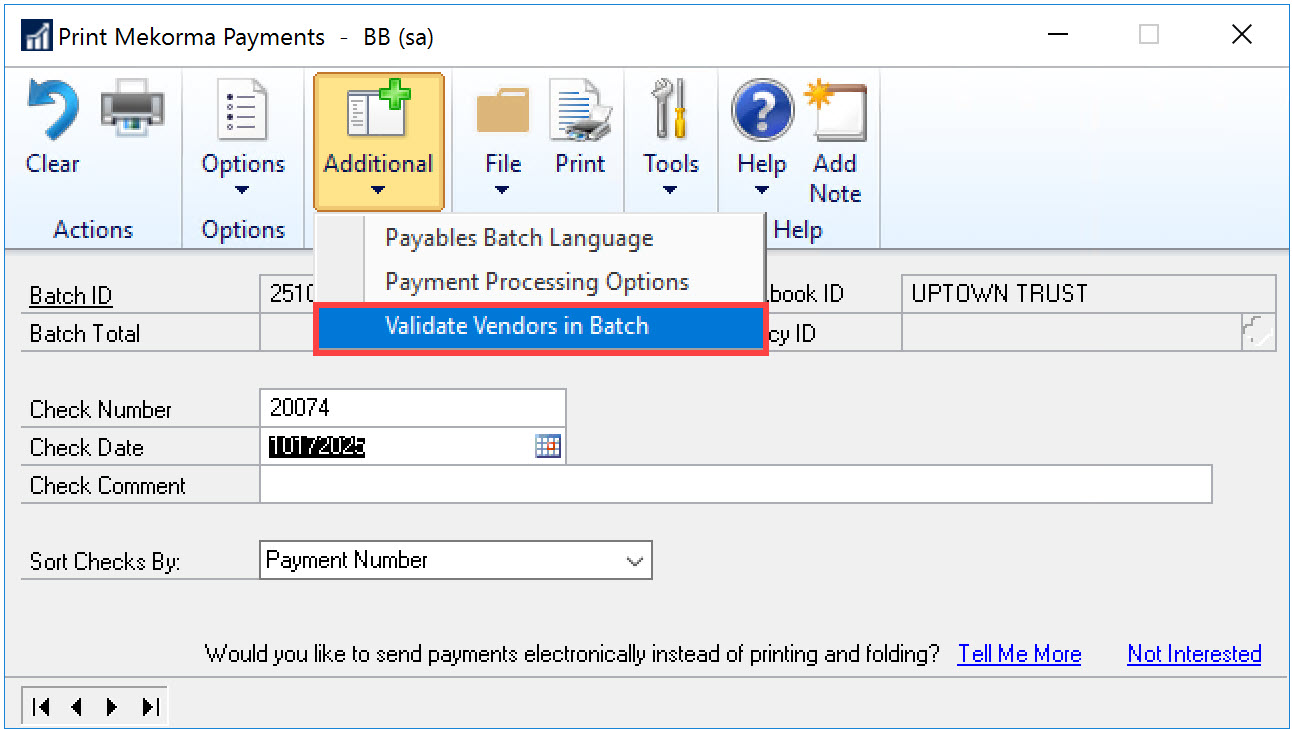
You can validate vendor records before you print payments by clicking Additional > Validate Vendors in Batch in the Print Mekorma Payments window.
Validate When Printing Checks
You can validate vendor records when you click Process in the Print Mekorma Payments window.
Validate While Using the Action Board
When you click Process for the Process Checks and EFTs action in the Mekorma Action Board window vendor validation will run. If you have selected to place a vendor record on hold when the vendor validation status is anything other than OK and the validation fails, the status for the batch will indicate that the batch contains a payment for a vendor recrod that is on hold.
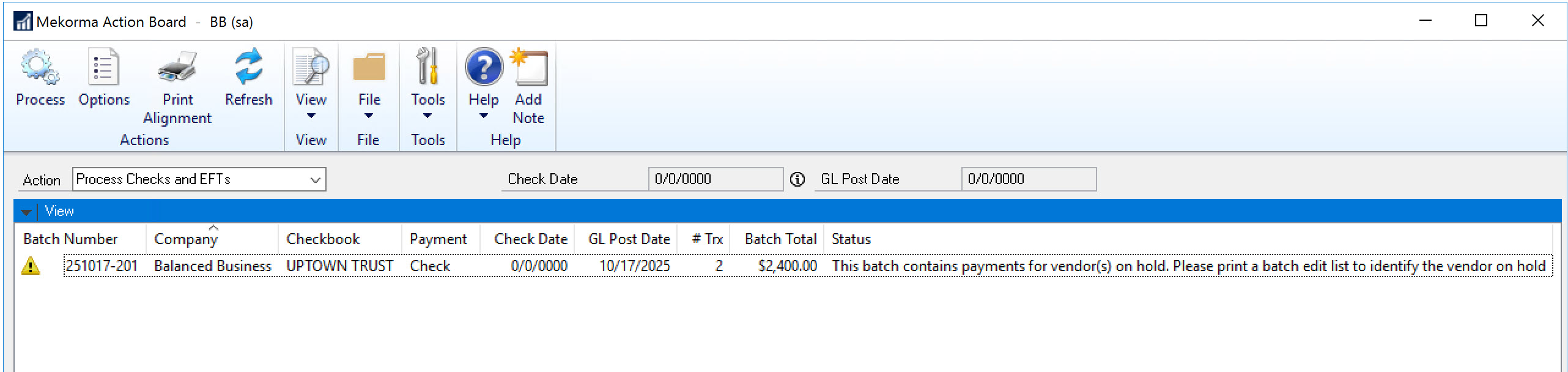
To continue processing the batch, close the Mekorma Action Board window and open the Edit Payment Batch window. Print a check edit list to determine the transaction(s) to be removed from the batch. Remove the payment from the batch, close the Edit Payment Batch window, and open the Mekorma Action Board to continue processing the batch.
Validation Causes Vendor Record to be Placed on Hold
If you have selected to place a vendor record on hold when the vendor validation status is anything other than *OK*and the validation fails, you will receive a message. The payment for that vendor cannot be printed and will have to be removed from the batch to continue processing the batch.
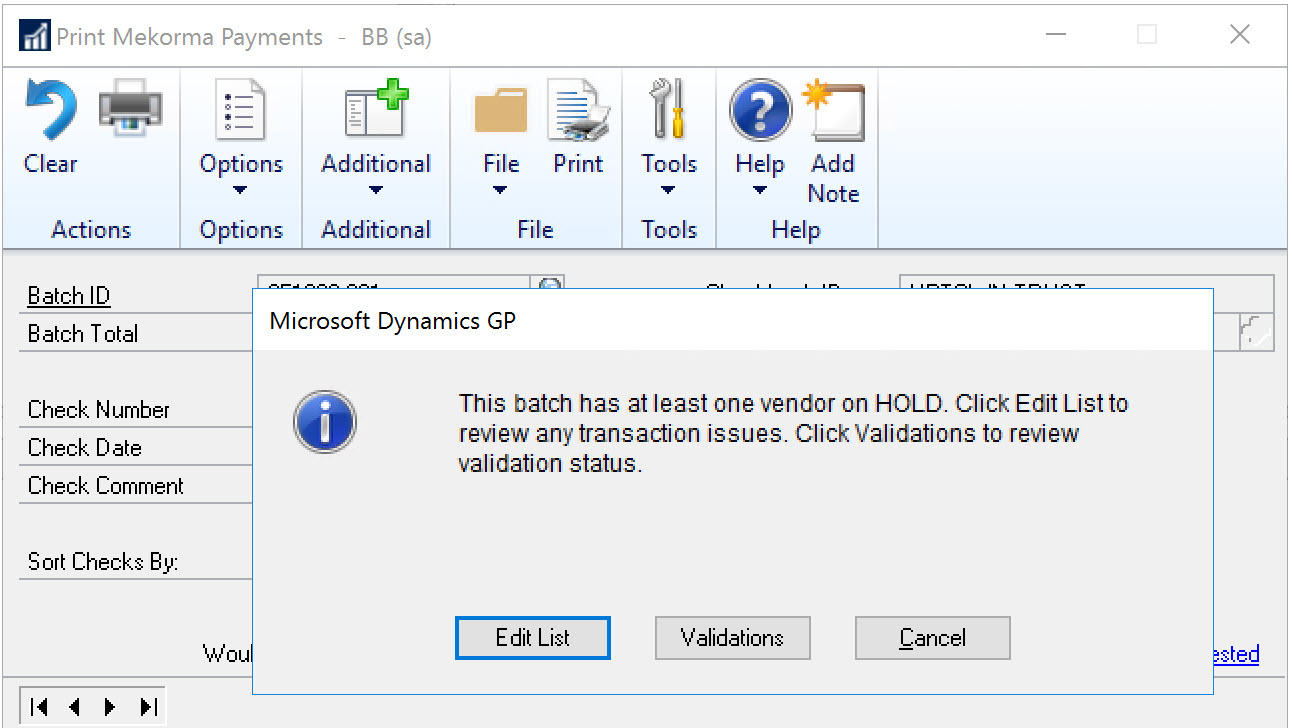
- Click Edit List to print a check edit list and view the transactions that won’t be posted.
- Click Validations to open the Mekorma Mass Vendor Validation window and view the vendor records that were validated as well as the status of the validation.
To remove transactions from the batch, close the Print Mekorma Payments window and open the Edit Payment Batch window to remove the transactions for vendor records that are on hold.
Example
For example, suppose the following data is entered in your system.
| Window Name | Field Name | Value |
|---|---|---|
| Mekorma Vendor Validation Company Setup | Validation Cycle (in Days) | 90 |
| Mekorma Vendor Validation | Last Validation | 04/01/2027 |
If you process payments on 06/30/2027, that vendor record will not be validated. If you process payments on 07/01/2027, that vendor record will be validated.
Need more help with this?
We value your input. Let us know which features you want to see in our products.