


The instructions for upgrading Mobile Workflows differs, depending on the type that you are using.
- Power Apps App and Flow
- Power Apps Managed Solution
If you are unsure about which type of Mobile Workflows you are using, these instructions will help you.
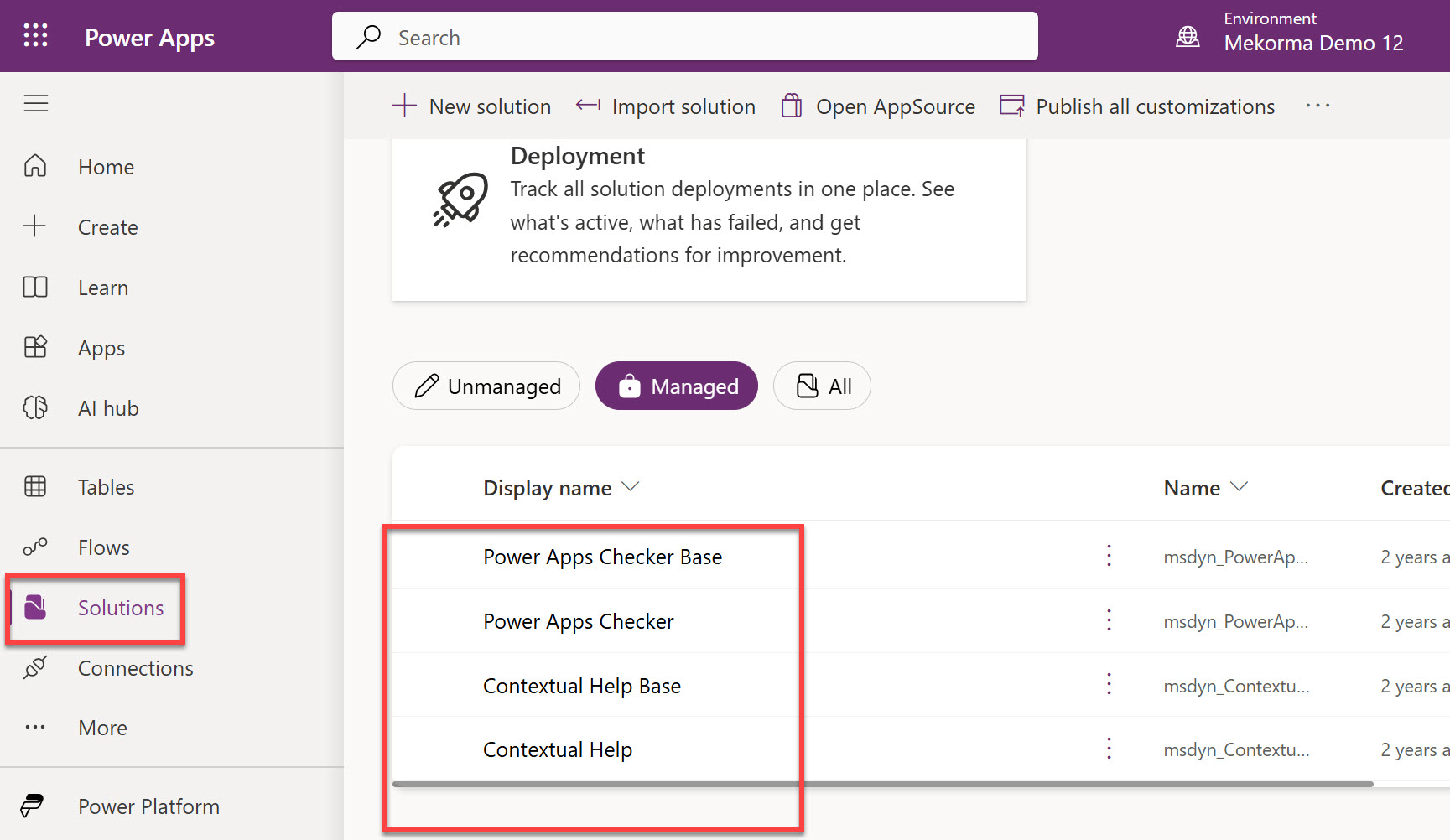
- Open your browser in private mode, go to the Power Apps website, and log in with the service account.
- Ensure you are in the right environment. This can be found in the page header.
![]()

- Click Solutions.
If Mekorma Workflow is not displayed in the Managed area, it is the Power Apps App and Flow type. Follow these steps.
- Downloading Components for an Upgrade
- Deleting Previous Versions of the Mobile Workflows Solution
- Upgrading the Dynamics GP Component
- Importing the Mobile Workflows Solution for an Upgrade
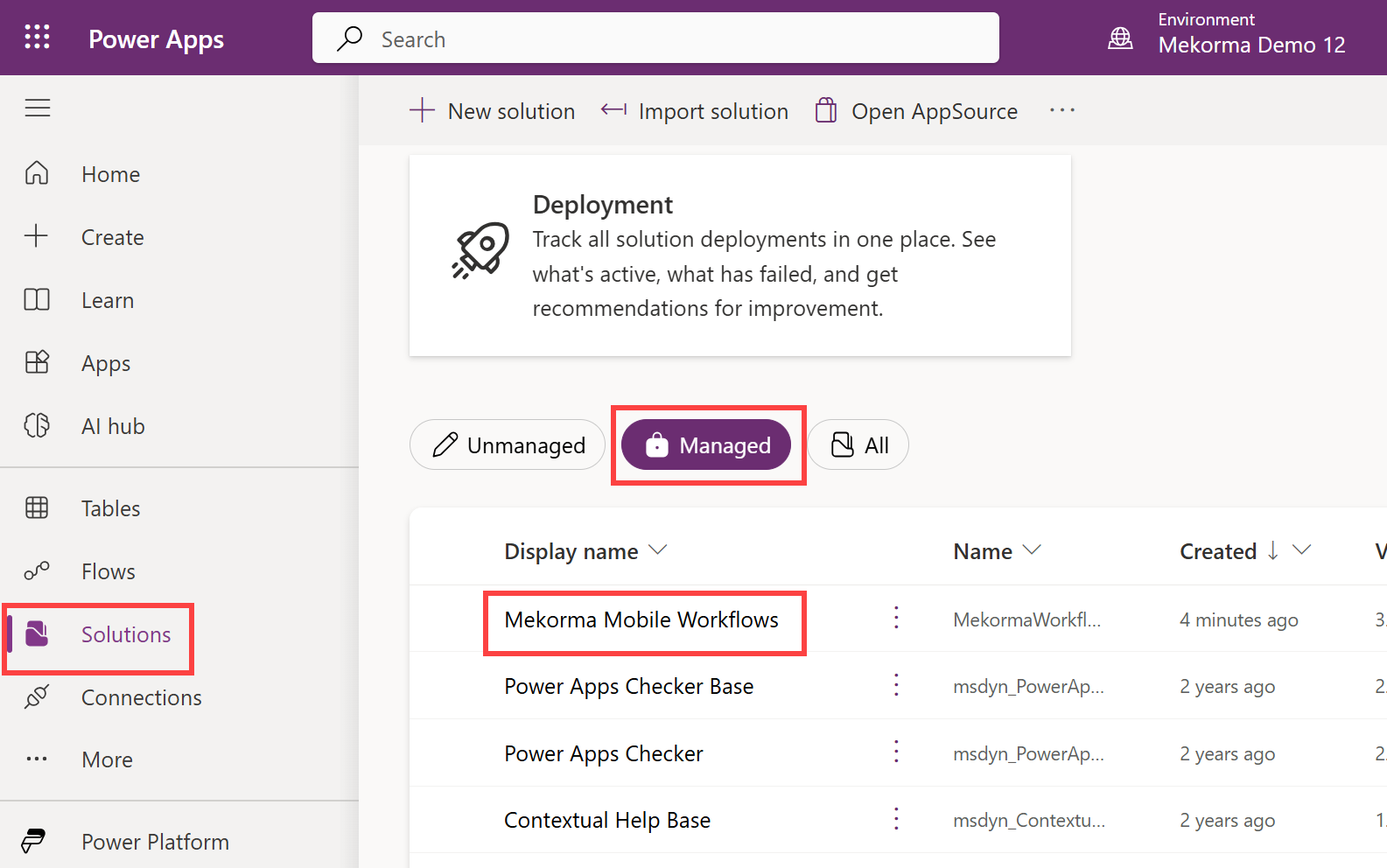
If Mekorma Mobile Workflows is displayed in the Managed area, it is the Power Apps Managed Solution type. Follow these steps.
- Downloading Components for an Upgrade
- Upgrading the Dynamics GP Component
- Importing the Mobile Workflows Solution for an Upgrade
Last modified:
April 28, 2025
Need more help with this?
We value your input. Let us know which features you want to see in our products.