


In a default Power Platform enviornment, all users are automatically assigned the Basic User and Environment Maker roles. Before a user can use the Mobile Workflows Power App, they must be assigned the Process Reader role in your Power Platform enviornment.
Prerequisites
Mekorma recommends that the Power Apps environment administrator shares the Mobile Workflows app with each approver user prior to the installation of the Power Apps mobile client.
Steps
Duplicate the Basic User role to create a new role named Mekorma Approver Role (Basic User) and assign the Process Reader to the new role.
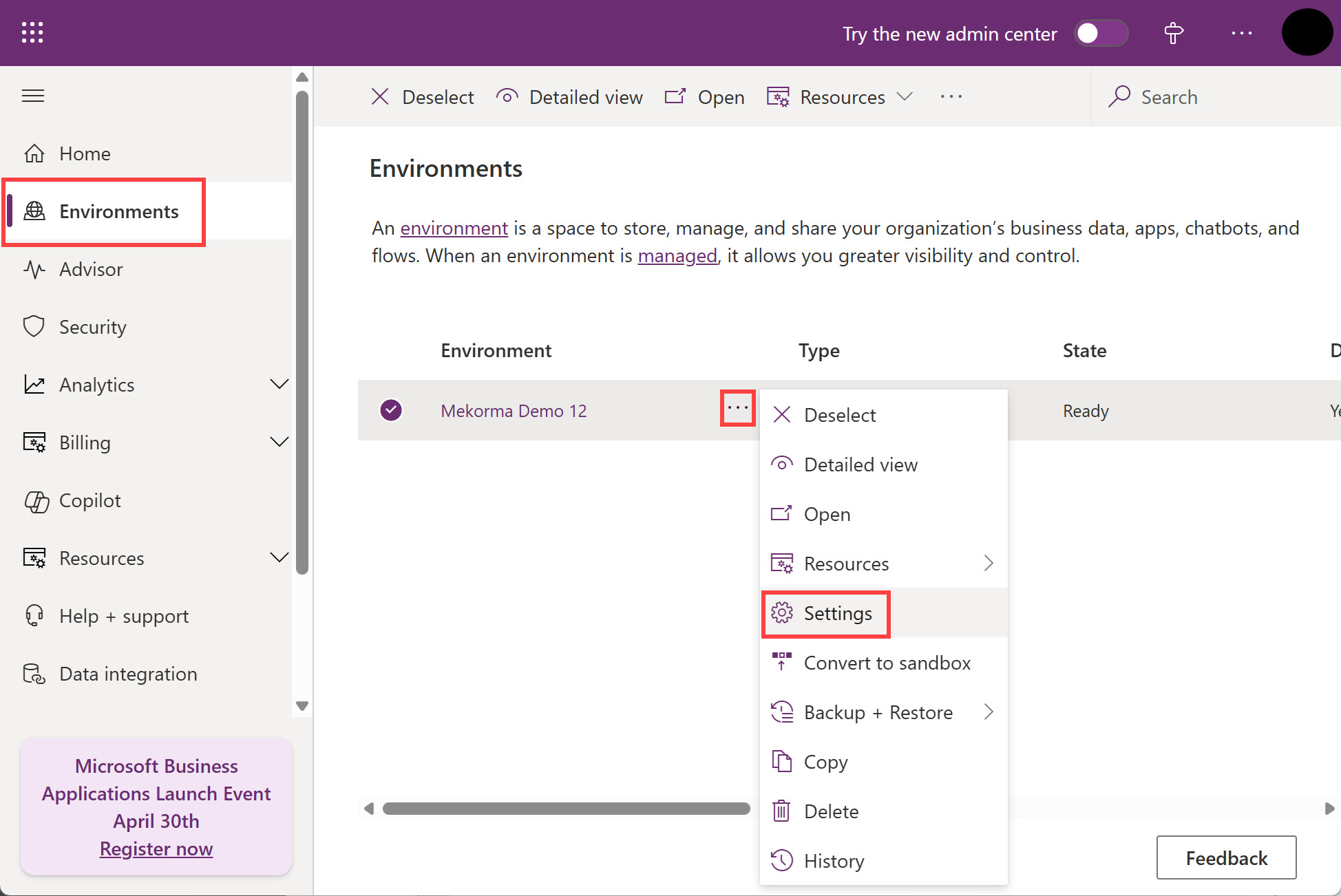
- Click Environments. Click the ellipsis (…) next to the environment which contains the Mobile Workflows solution and click Settings.
![]()
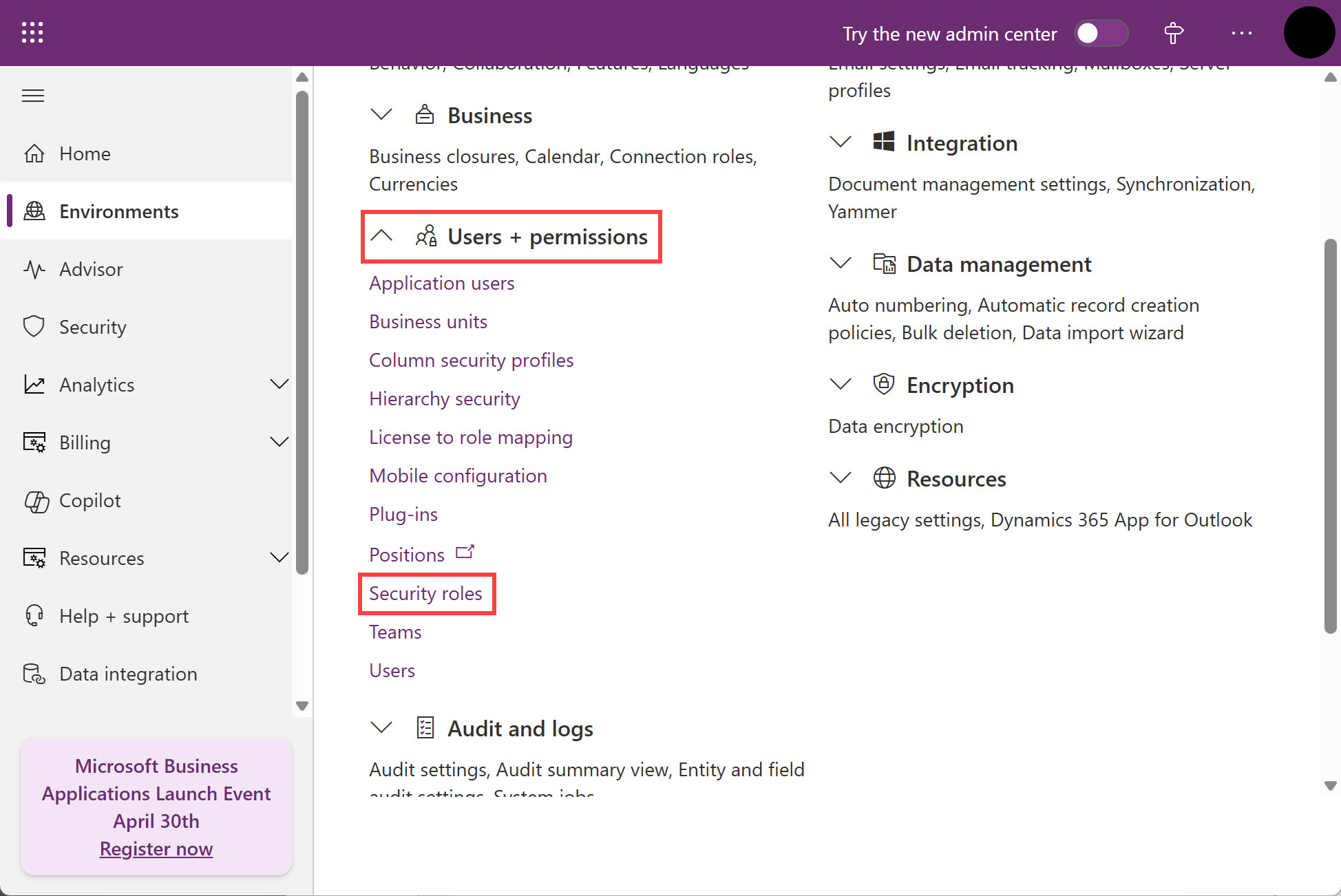
- Under Users + permissions, click Security roles.
![]()
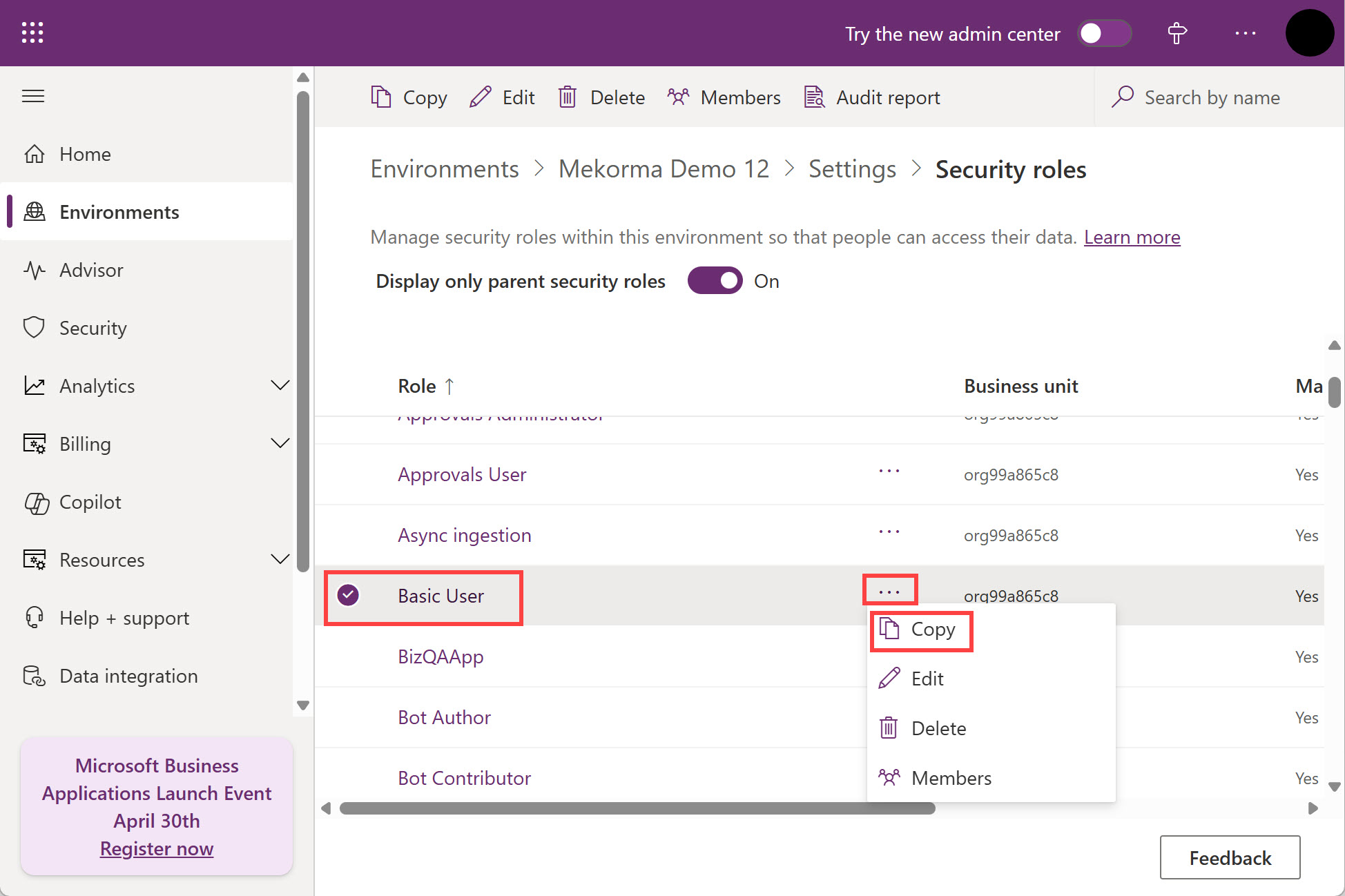
- Locate the Basic User role, click the ellipsis (…) next to it, and click Copy.
![]()
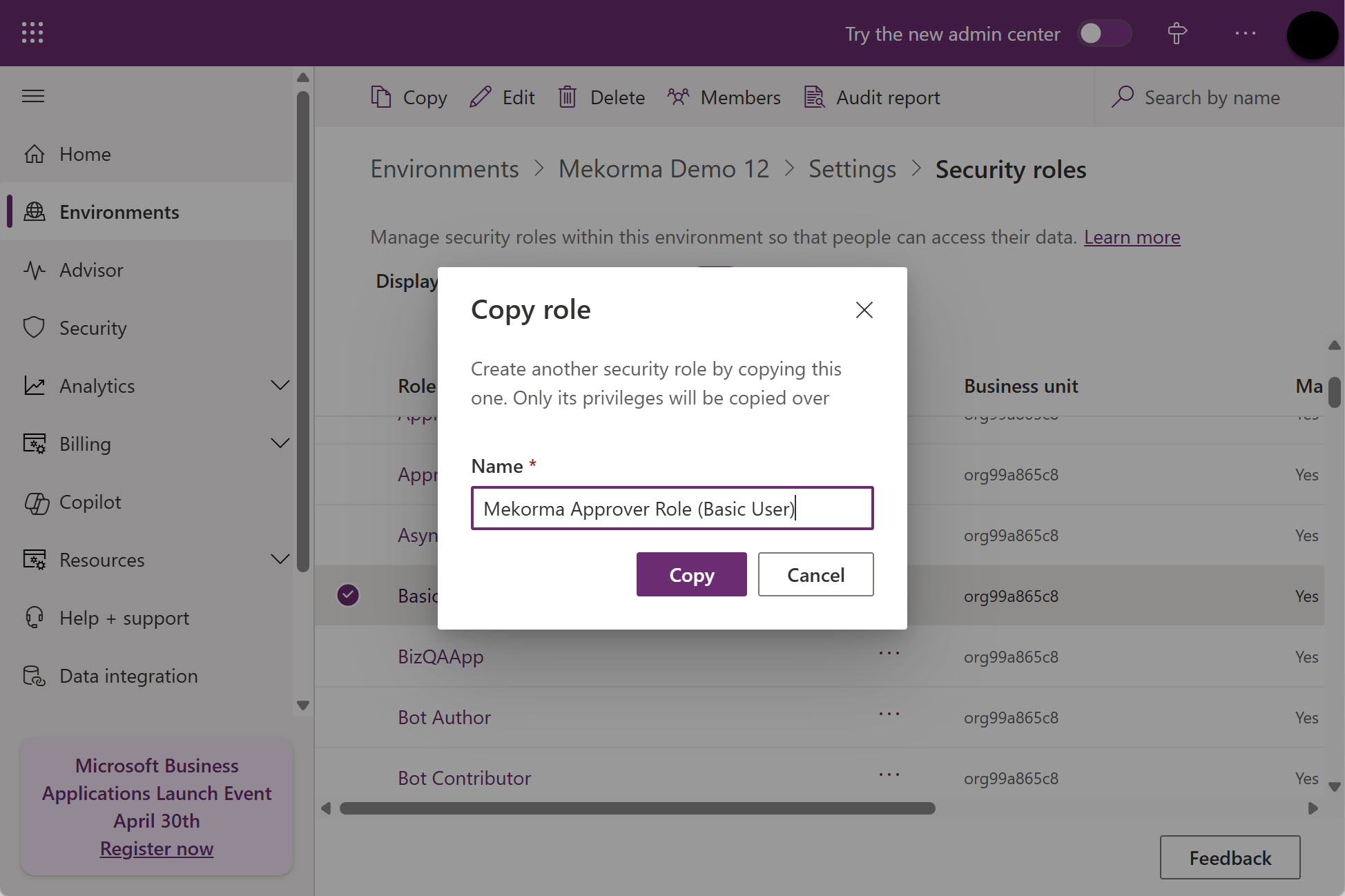
- Enter Mekorma Approver Role (Basic User) in the Name field and click Copy.
![]()
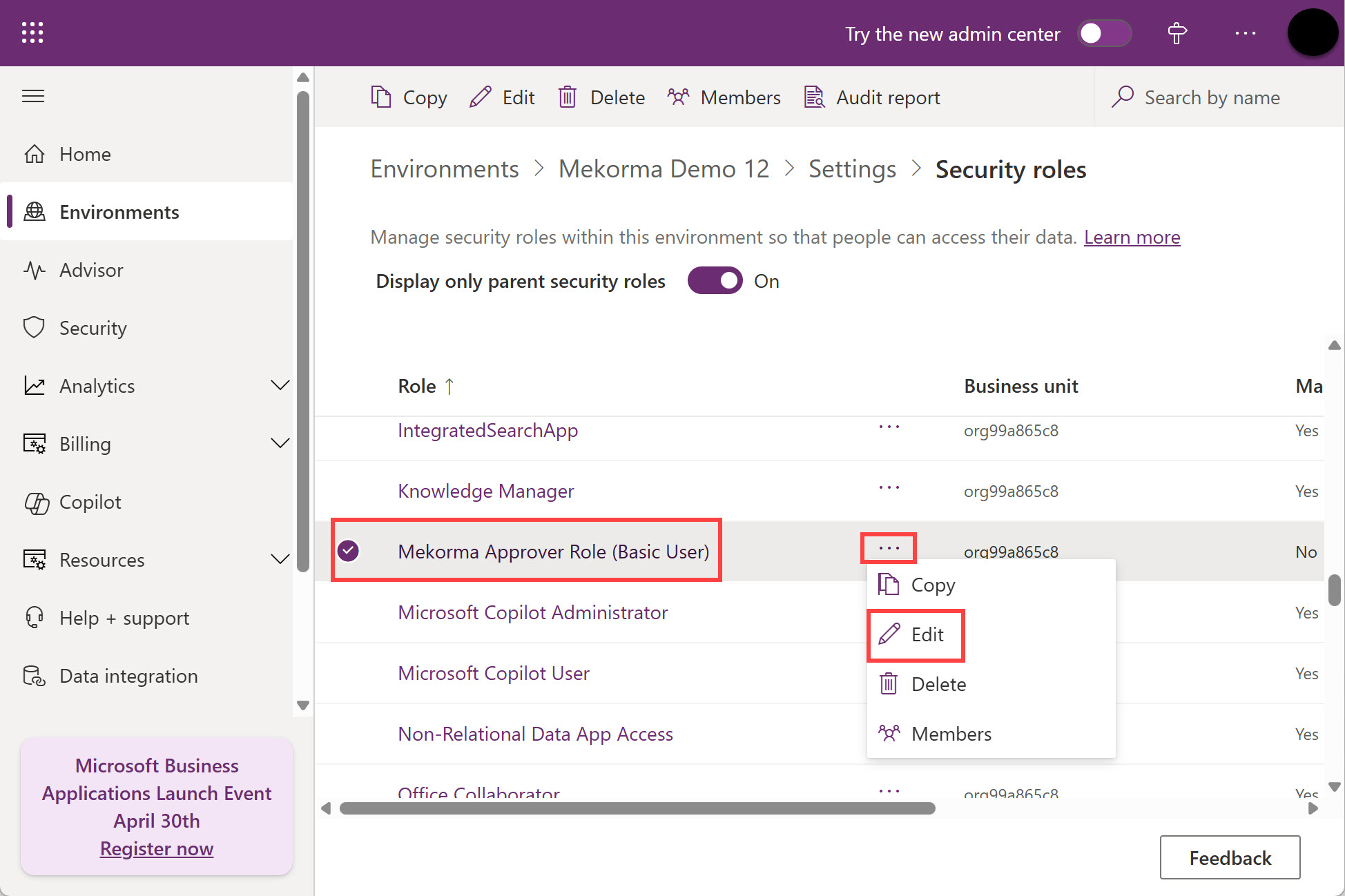
- Locate the Mekorma Approver Role (Basic User) role that you just created, click the ellipsis (…) next to it, and click Edit.
![]()
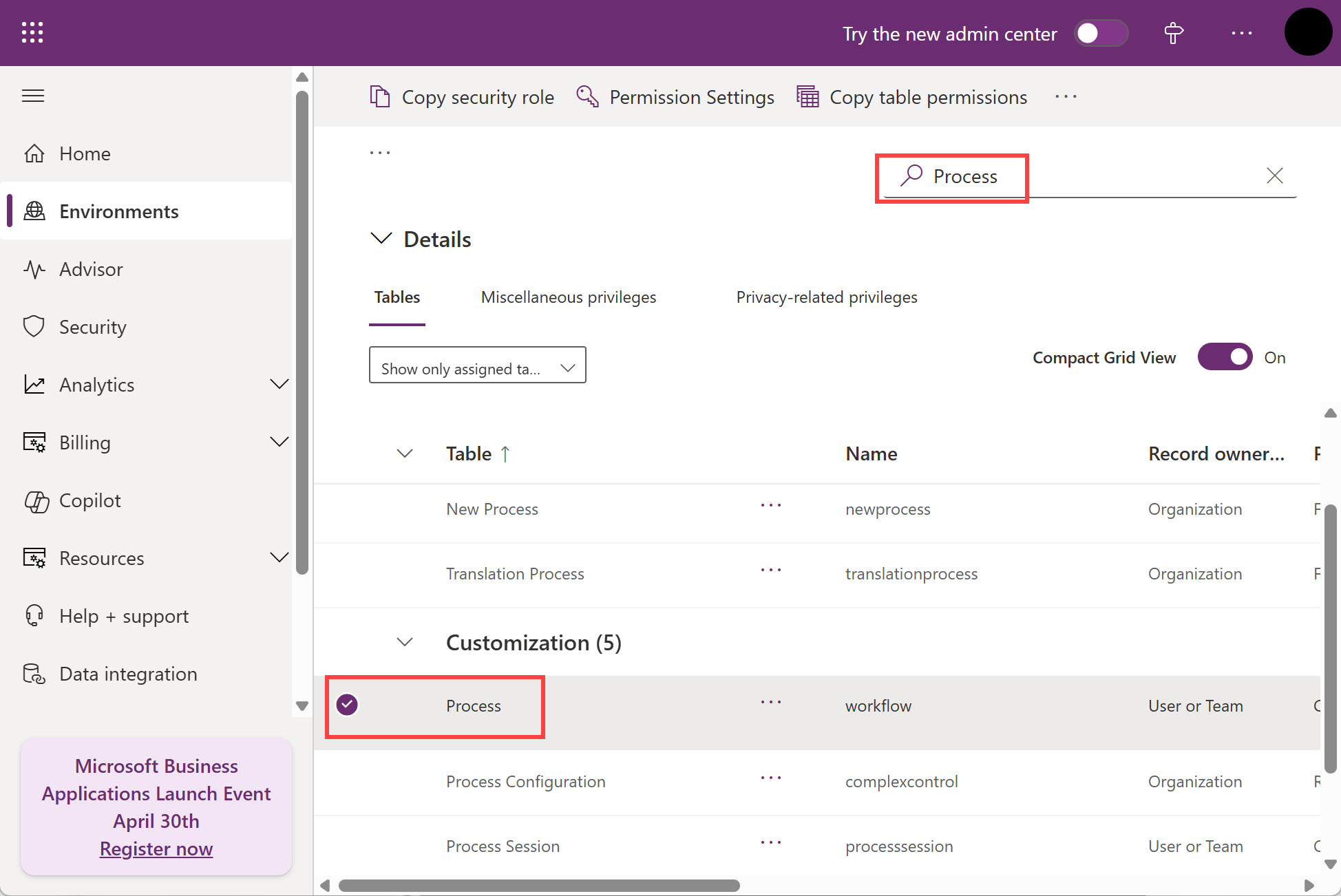
- Search for Process in the Search box on the top right corner and select the Process table.
![]()
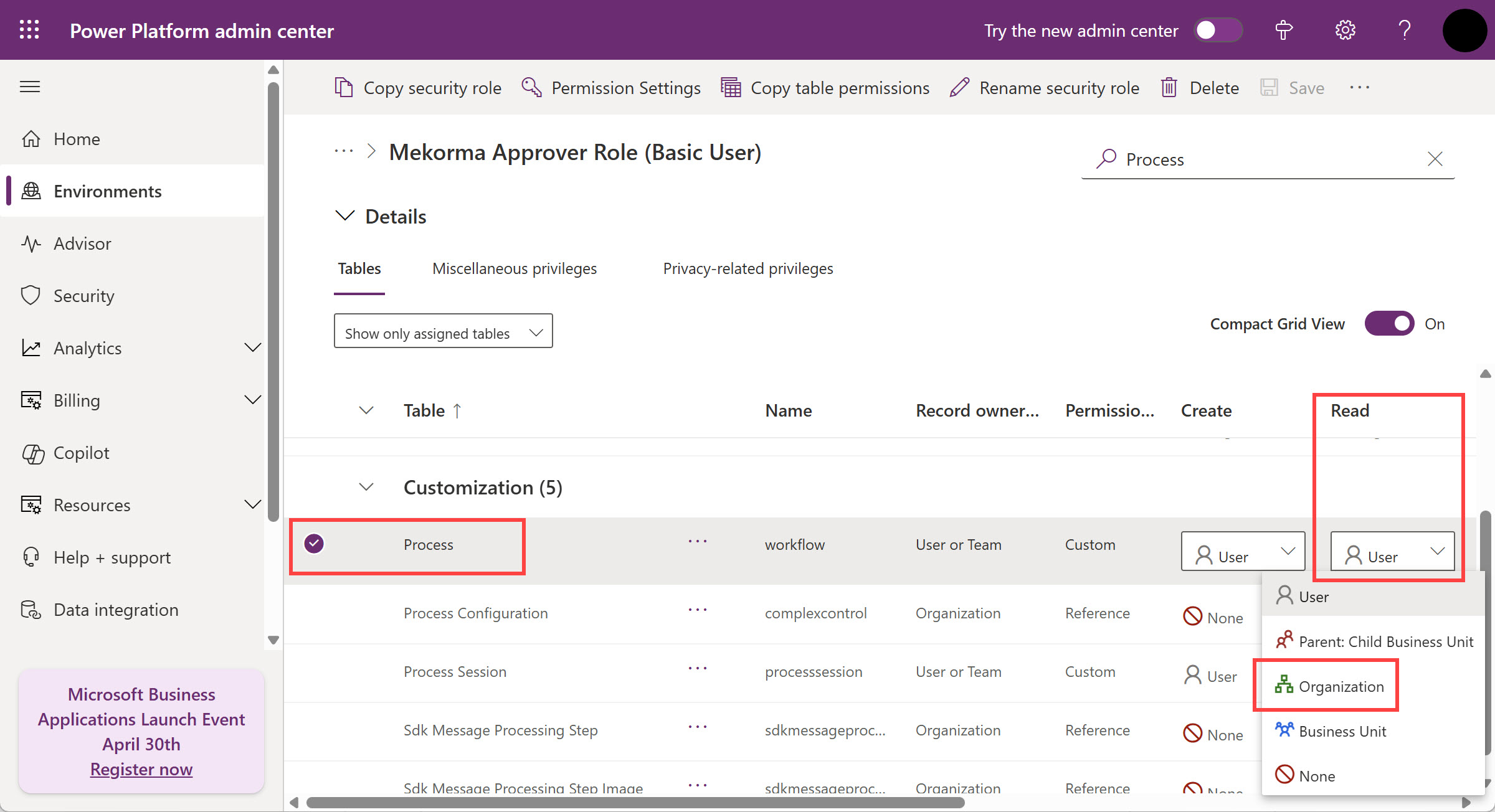
- Change the Read permission from User to Organization.
![]()
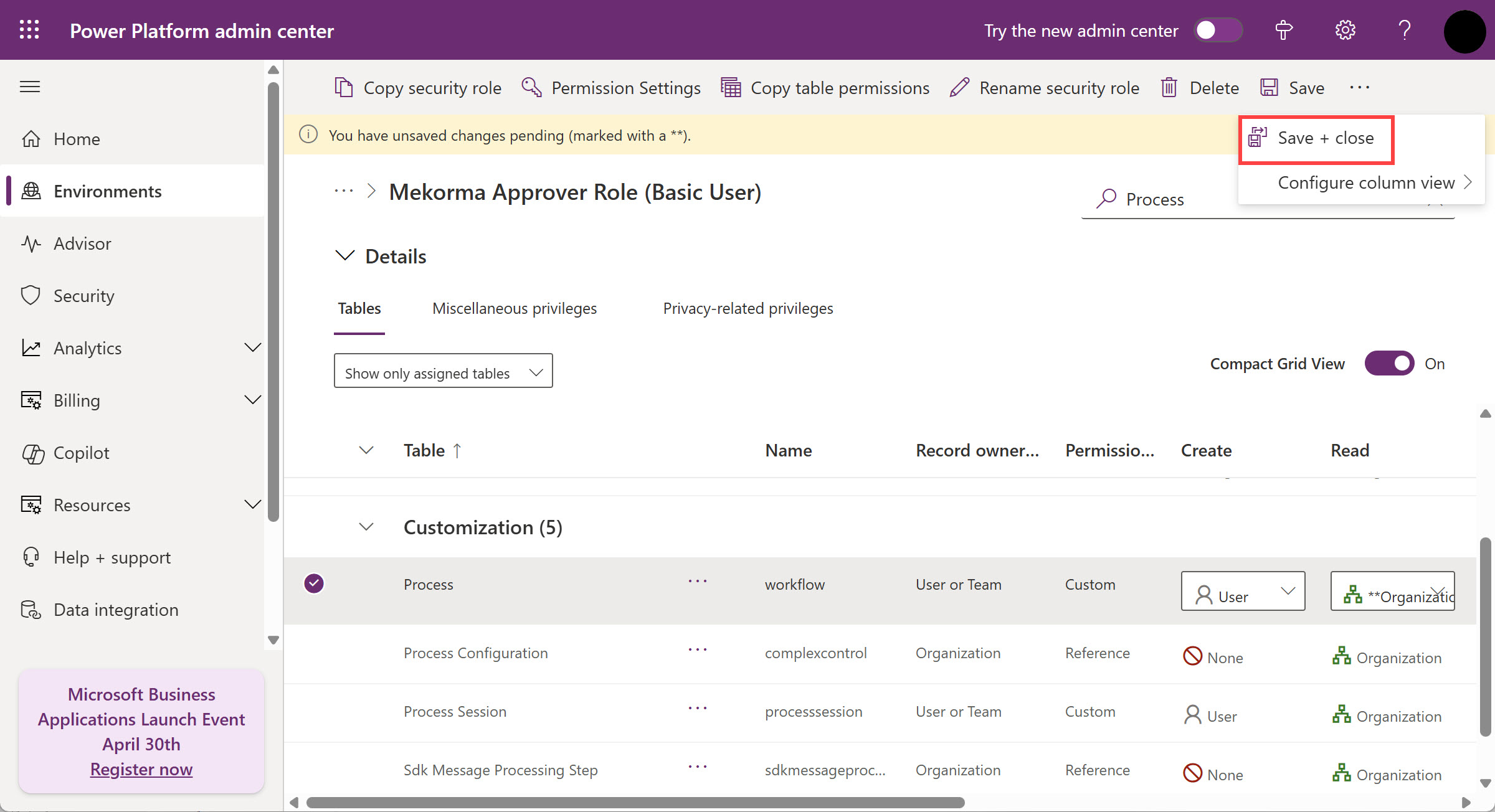
- Select Save + close from the top menu
![]()
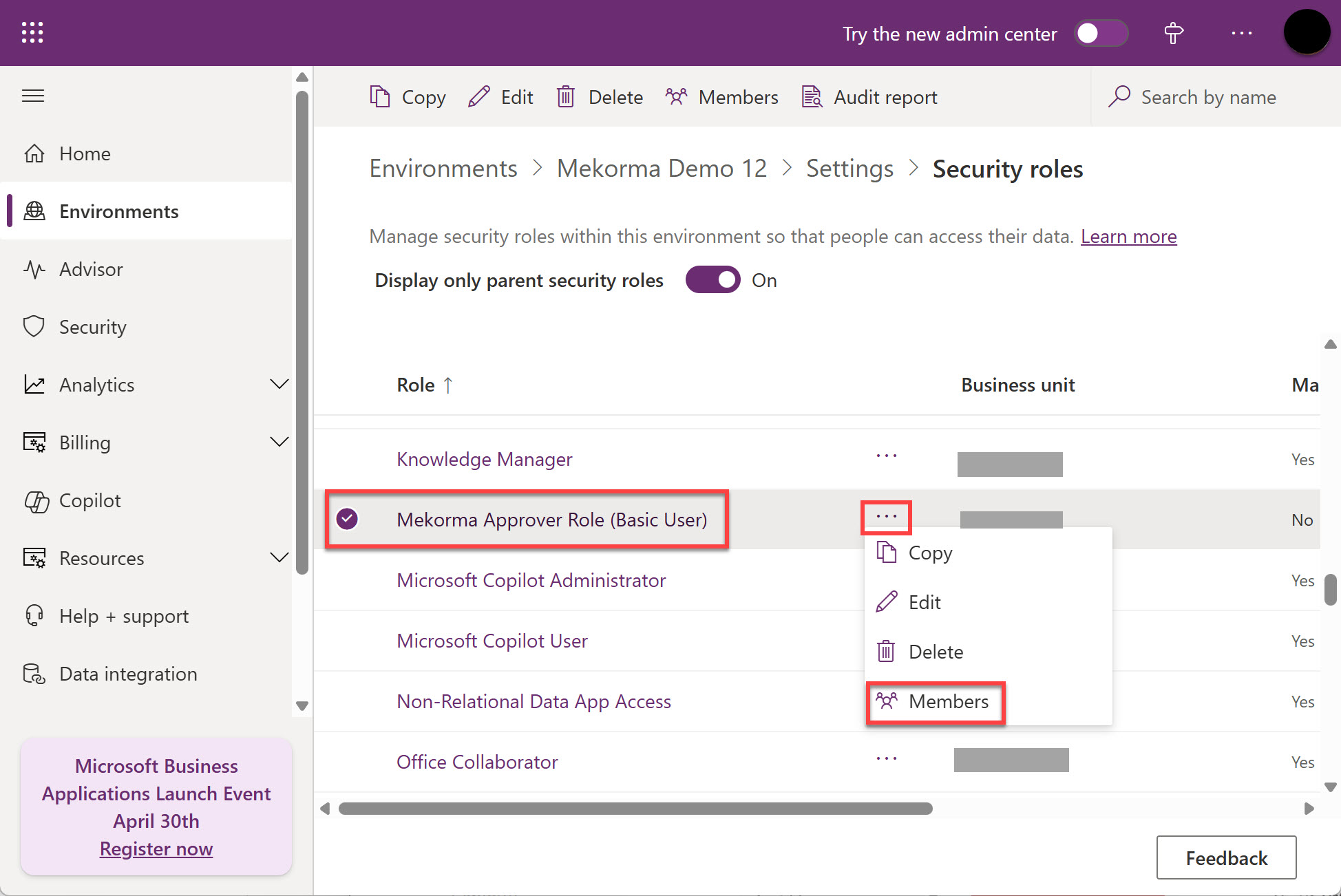
- Locate the Mekorma Approver Role (Basic User) role, click the ellipsis (…) next to it, and click Members.
![]()
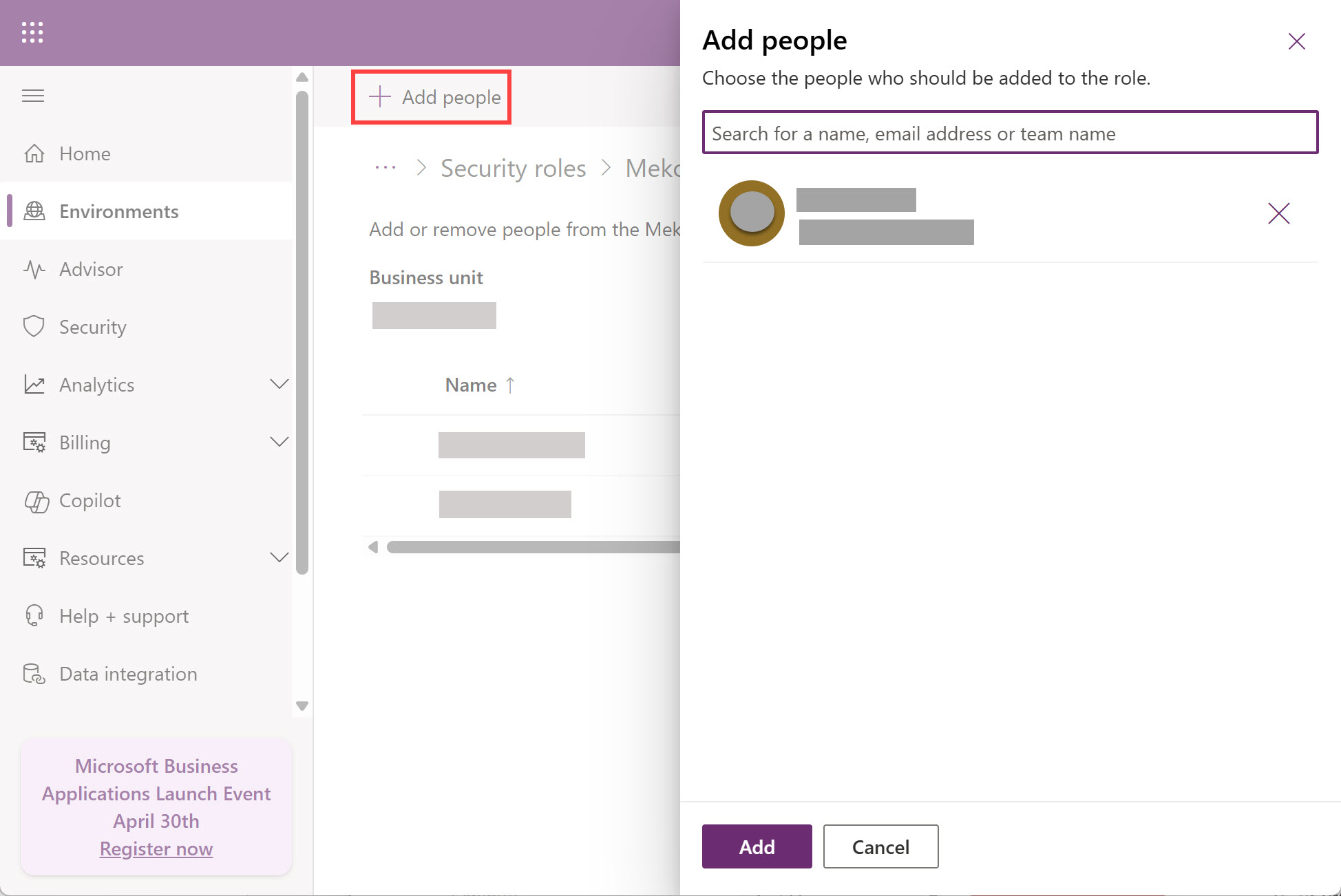
- Click +Add people and search for an approver name. Add all approvers. Click Add.
![]()
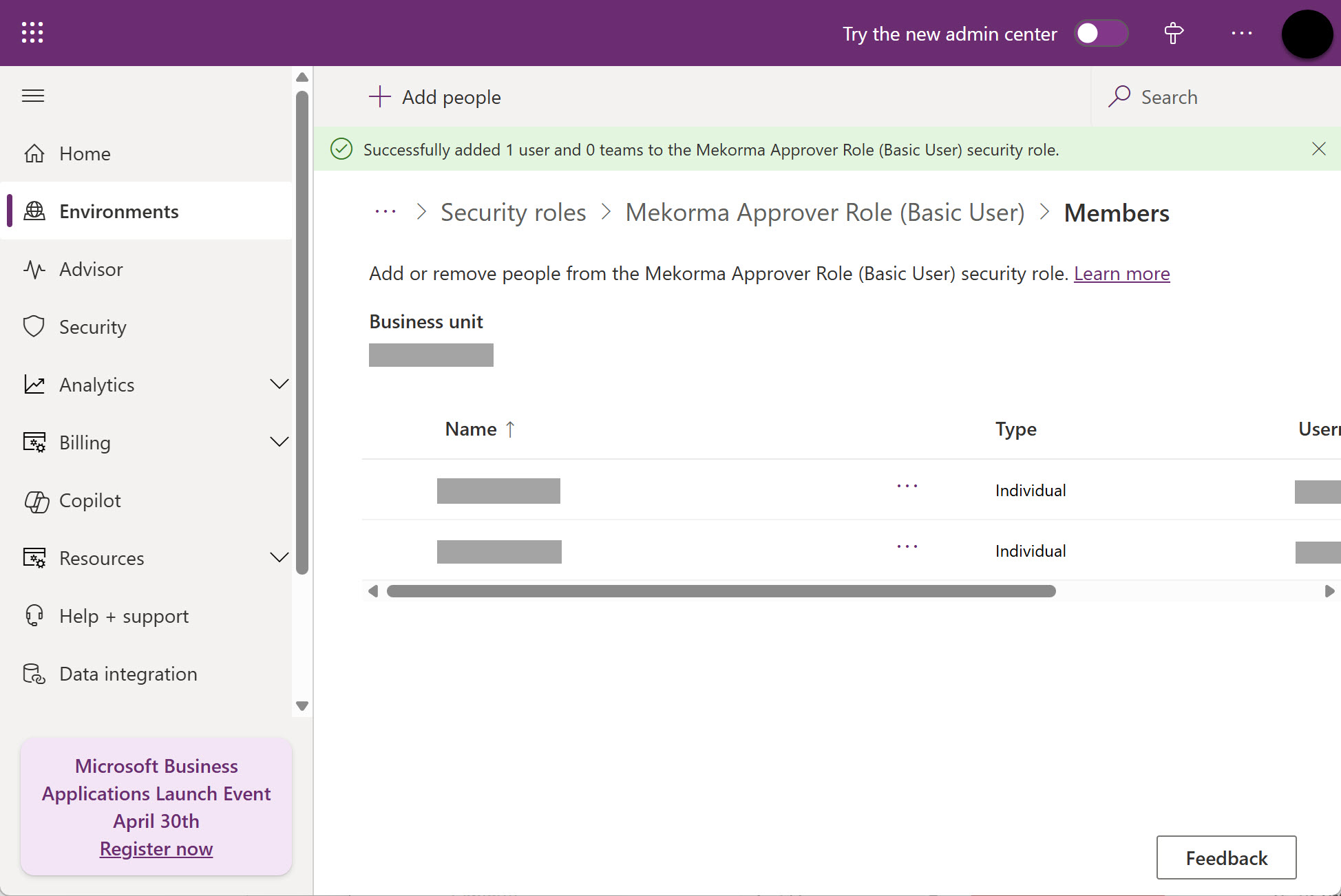
Verify that all batch approvers have been granted access.
Need more help with this?
We value your input. Let us know which features you want to see in our products.