


Before you can use Mobile Workflows, you must share Power Apps to approvers in your company. You can specify each user by name or specify a security group in Azure AD. Mekorma recommends setting up an Azure AD group for large groups of approvers for easy administration.
Prerequisites
A complete list of approvers or Azure AD group name containing the list of approvers.
Steps
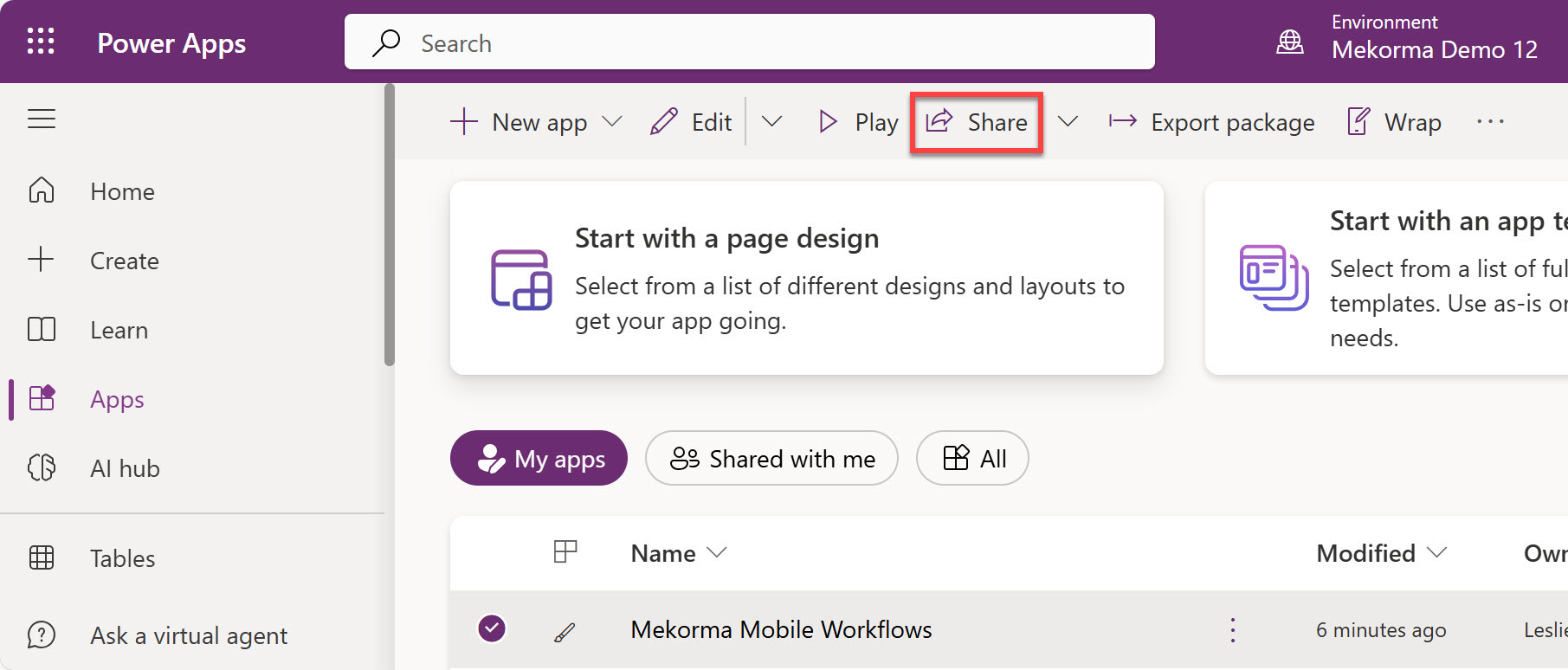
- In Power Apps, click on Apps in the left-hand navigation pane to show the Mekorma Mobile Workflows app.
- Highlight the Mekorma Mobile Workflows row by clicking in the row (not on the app itself).
- In the top menu, click Share.
![]()
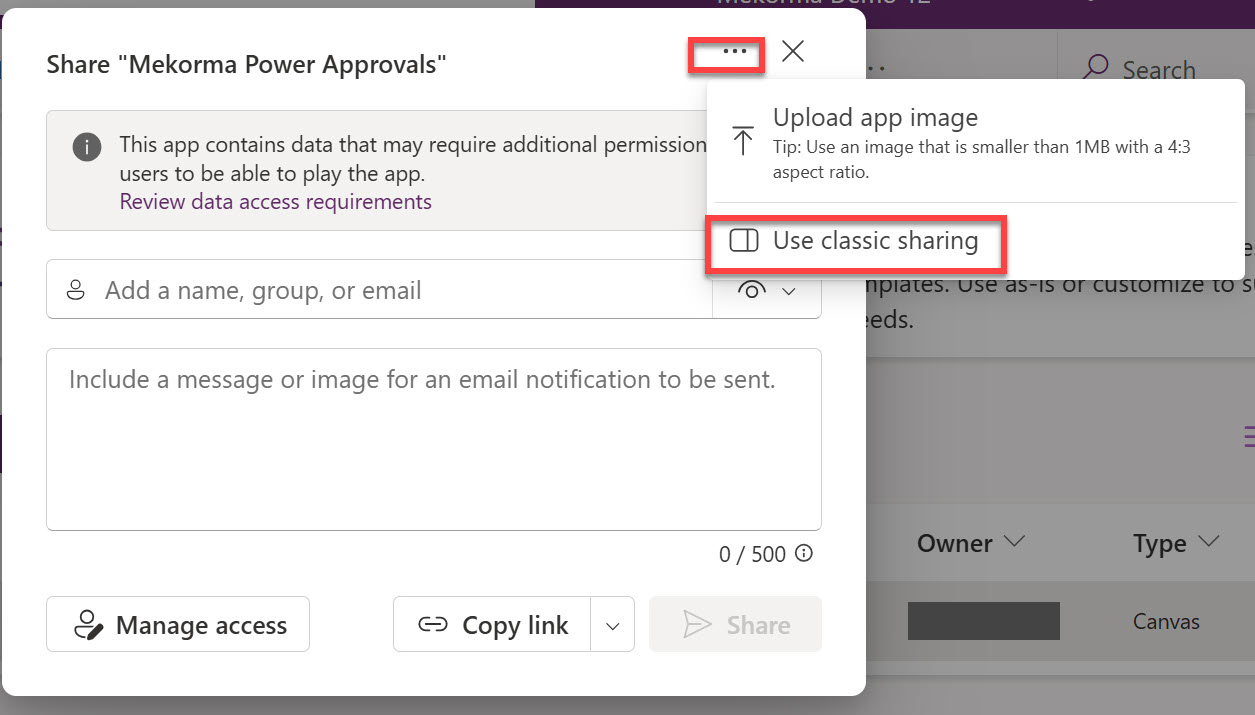
- Click the 3 buttons in the upper right corner of the window and select Use classic sharing.
![]()
- Add the necessary users to the list of approvers. Start typing the email address of each approver and the system will find the person matching the email address.
![]()
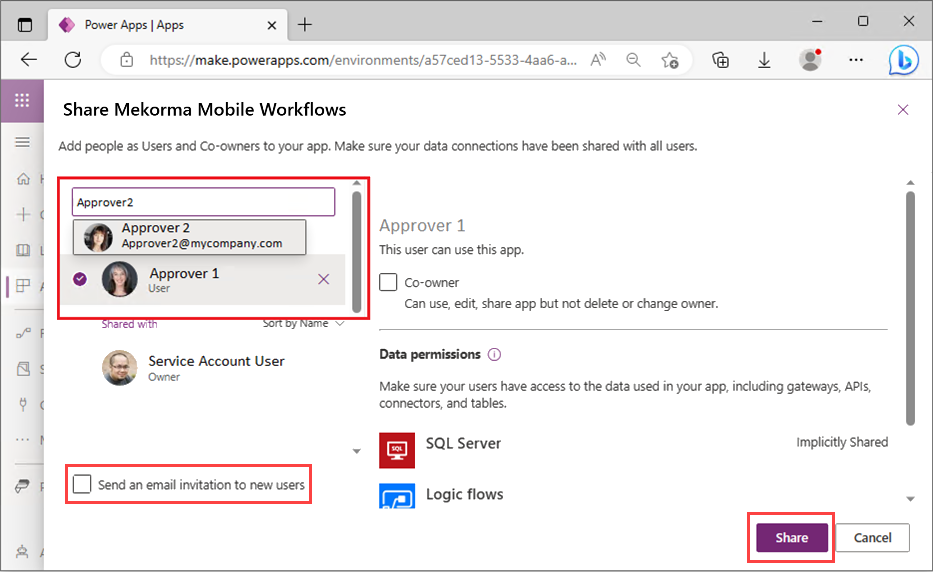
- Once you are done adding approvers, unmark the Send an email invitation to new users checkbox. We do not want approvers to be notified until Mobile Workflows is fully implemented and tested.
- Click Share to finalize.
Last modified:
March 31, 2025
Need more help with this?
We value your input. Let us know which features you want to see in our products.