


The SQL connector can be used simultaneously by multiple apps or solutions. For example, if the connector already exists for Invoice Capture, it can be shared so that Mobile Workflows can also use it (and vice versa).
- Open your browser and go to Power Apps studio.
- Log in with the Mobile Workflows service account. It might look something like this: svc_mobileworkflows@mycompany.com.
- Select the correct environment.
![]()
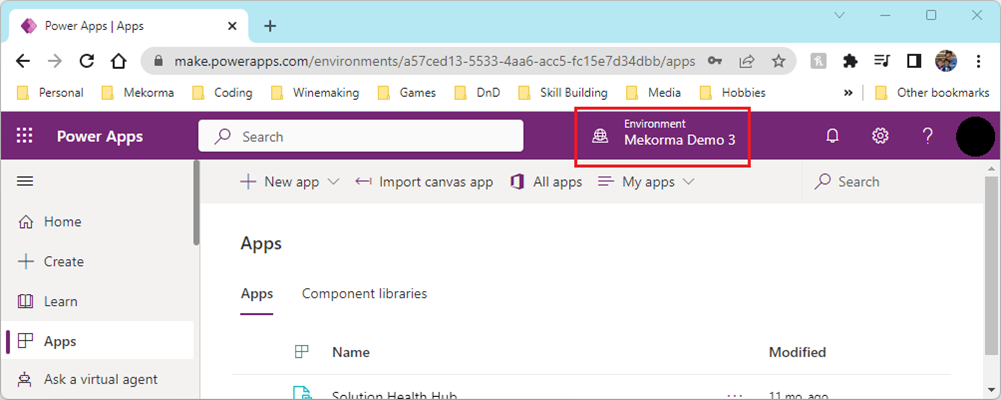
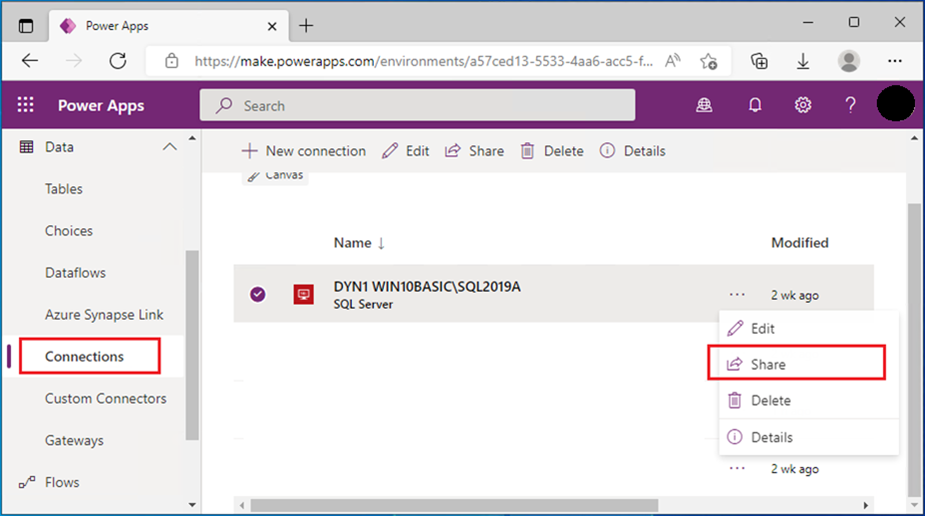
- Click Connections.
- Click (…) to open the SQL Server connector menu and select Share.
![]()
- Enter the email address of all people that will be approving via Mobile Workflows. In the screen shot below, we are sharing the SQL connection with Sally Parker.
![]()
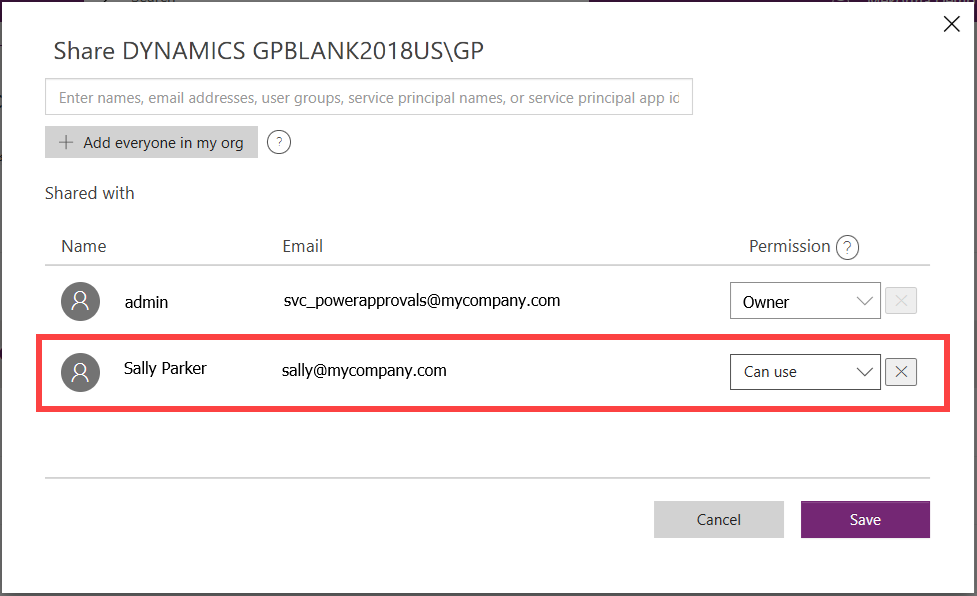
- For the desired email address, set the permission to Can use.
- Click Save to finalize sharing the connector.
Last modified:
April 28, 2025
Need more help with this?
We value your input. Let us know which features you want to see in our products.