


After you purchaser the Power Apps licenses, you need to assign user licenses to approvers and administrators. To assign user licenses, follow these steps via the Microsoft 365 admin center:
- Open your browser (Chrome or Edge recommended) and log into https://admin.microsoft.com.
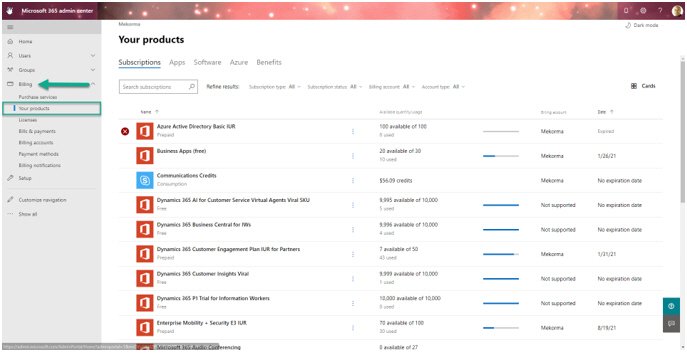
- Expand Billing in the left-hand navigation pane and select Your Products.
![]()
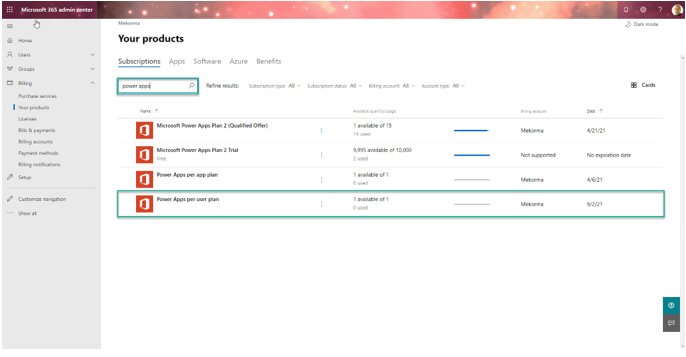
- Locate the Power Apps Premium plan SKU.
![]()
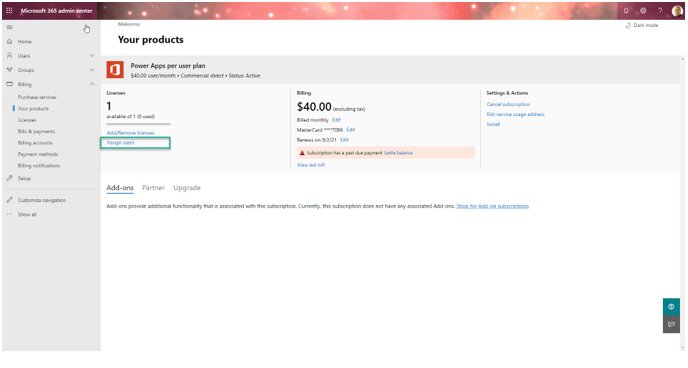
- Click on the Assign Users hyperlink to begin adding each approver user and environment administrator.
![]()
- Proceed to enter each approver’s UPN. If you are an Office 365 subscriber, this will be the equivalent to the user email account.
Last modified:
March 25, 2025