


Power Approvals needs to establish a relation between the payment approver’s Active Directory (AD) account and its corresponding Dynamics GP login. This allows all server-side processes and audit logs to reflect the correct payment transaction approver.
Prerequisites
You must have completed the configuration of secure approval workflow’s task-based security with thresholds properly assigned to checkbooks.
Steps
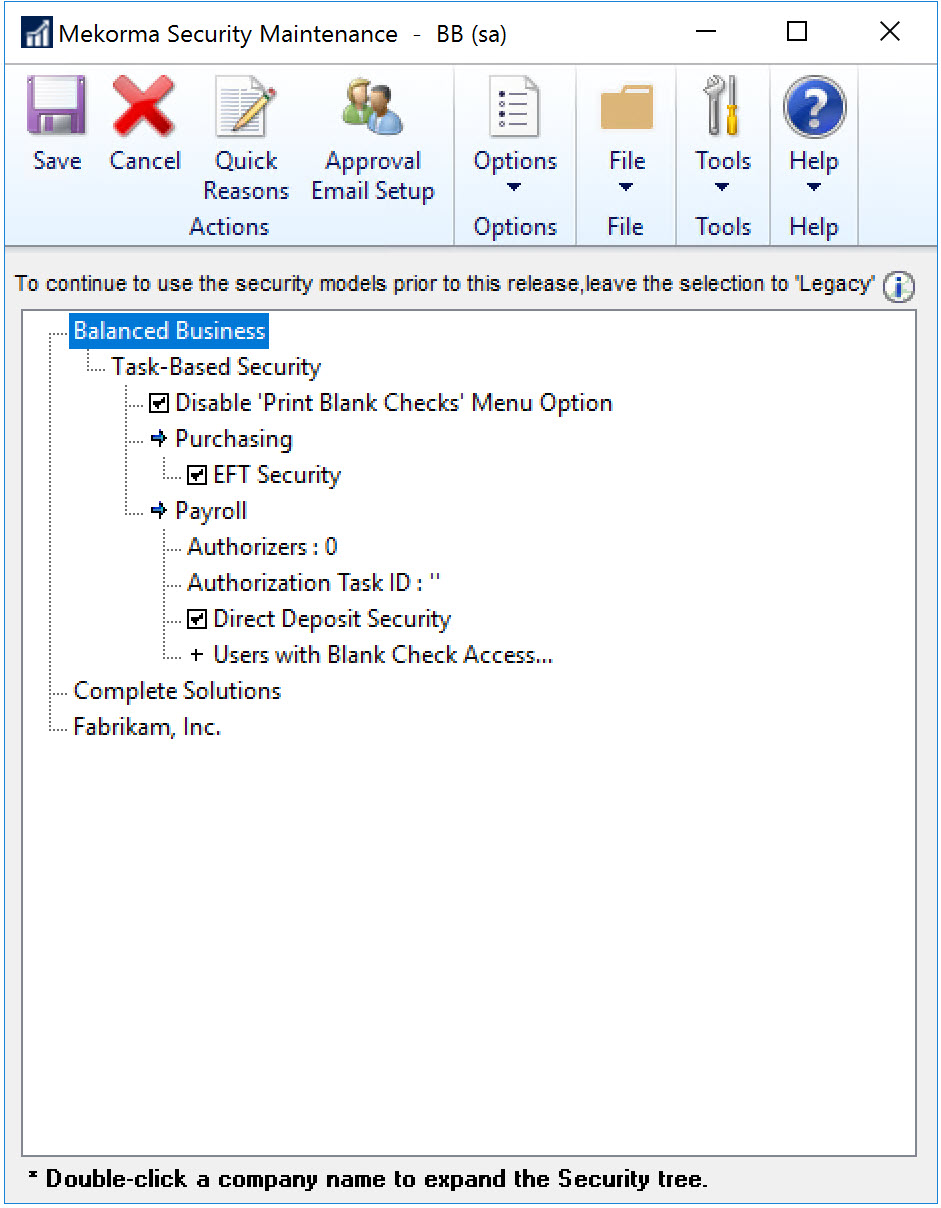
- Open the Mekorma Security Maintenance window in Dynamics GP (Navigation: Dynamics GP > Mekorma in the left-hand navigation pane > Setup > System > Security Setup).
- Click the Approval Email Setup button.
![]()
- In the Approval Email Setup window, enter the Azure AD account for each Power Approvals user.
![]()
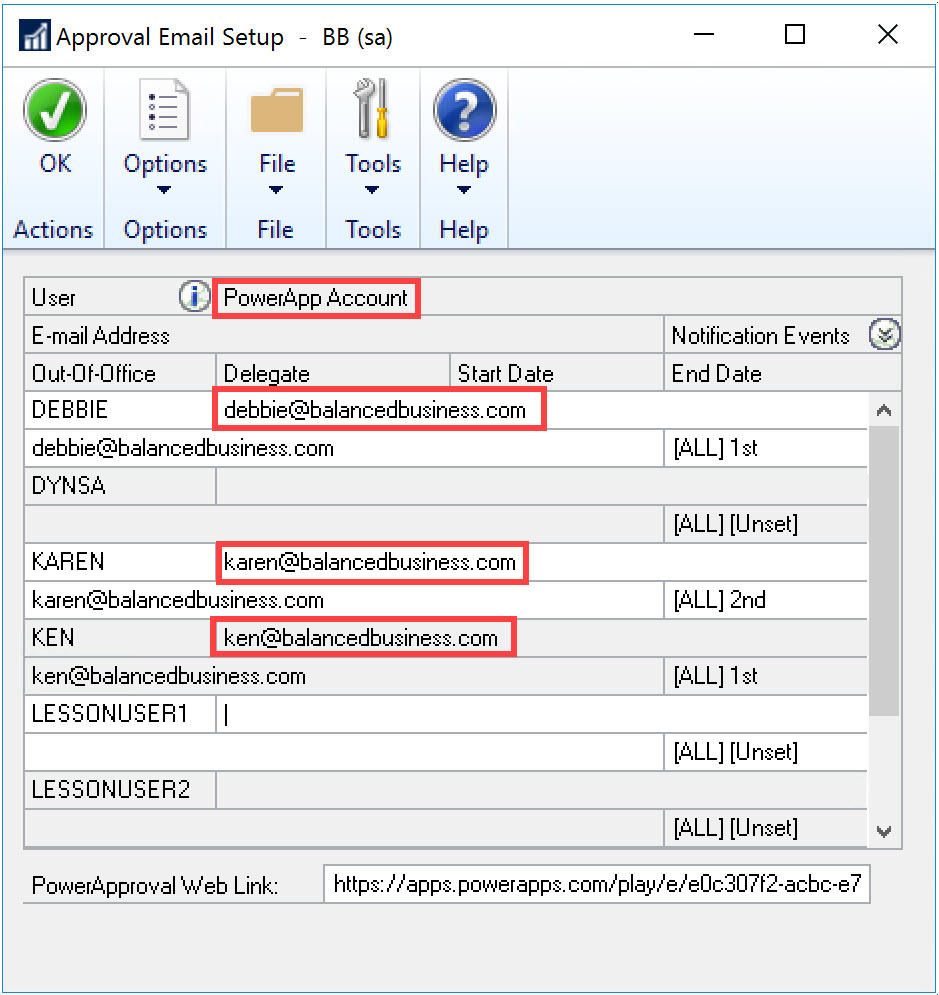
Ensure that you set Notification Events accordingly for users to receive notifications to their preference.
- Click OK to save changes and close the window.
Last modified:
March 18, 2025