

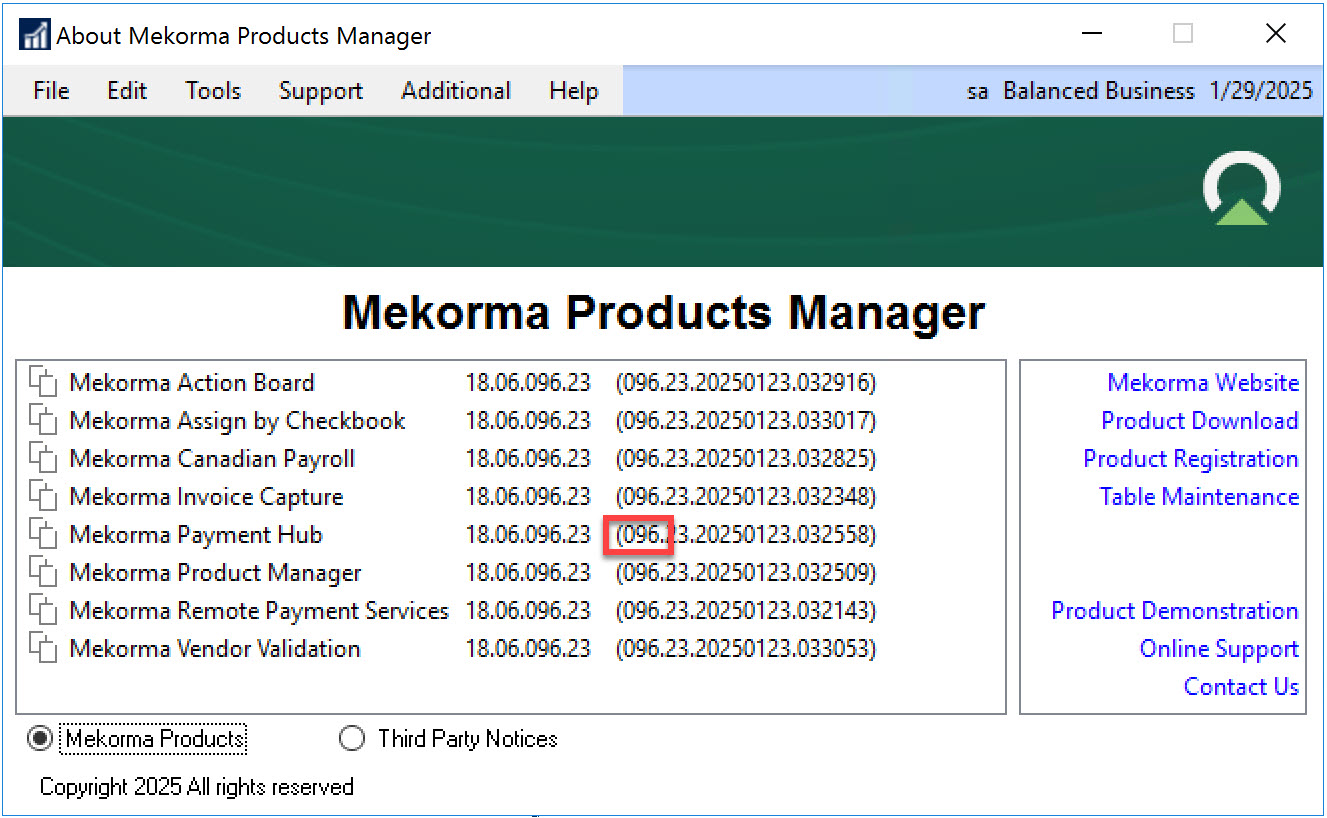
If you are unsure of which build of Mekorma Payment Hub you are using, use the About Mekorma Products Manager window to determine your build number.
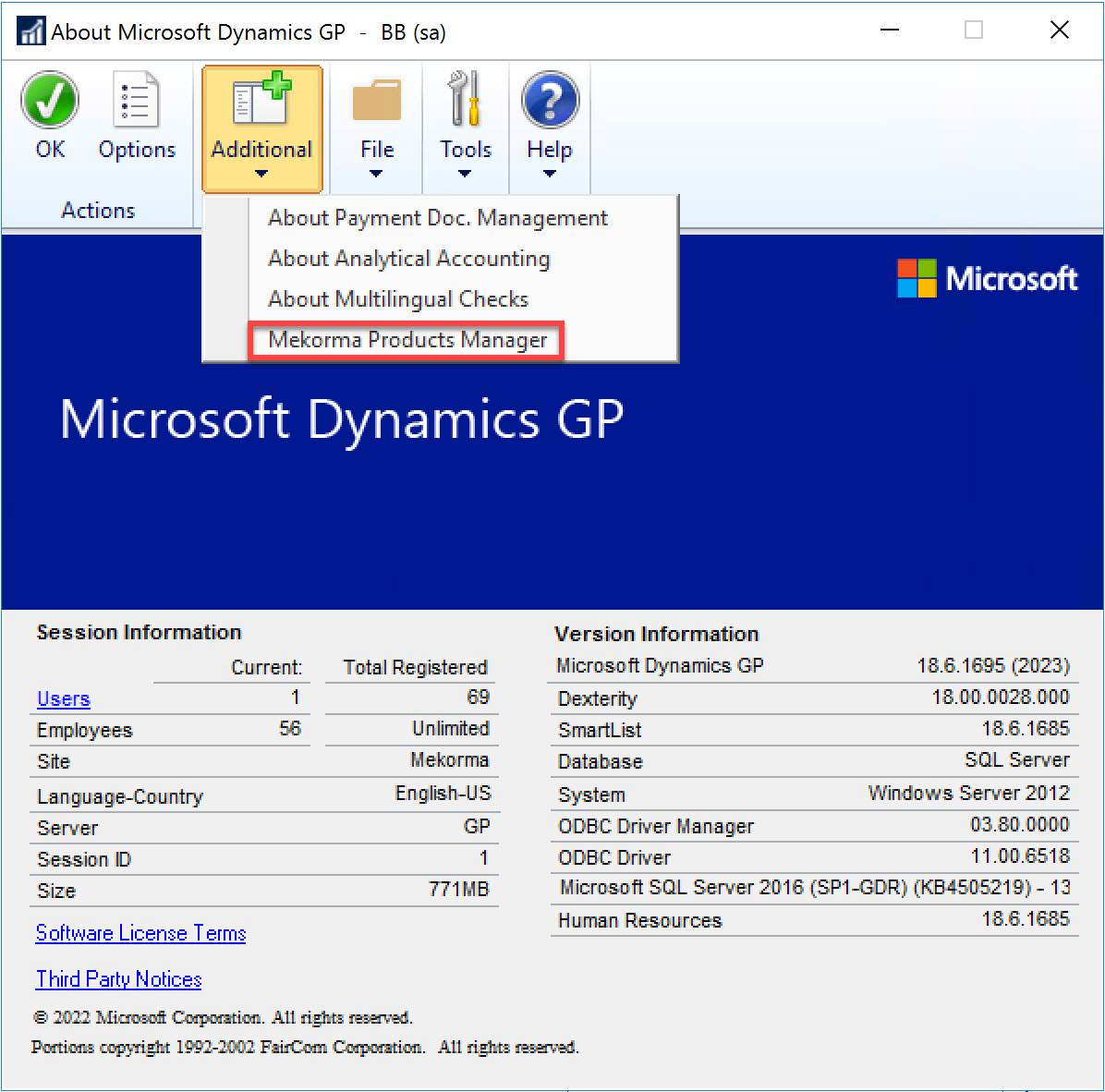
- In Dynamics GP, open the About Microsoft Dynamics GP window.
- Select Mekorma Products Manager from the Additional Menu.
![]()
- In the About Mekorma Products Manager window, the build number is visible as the left-most number in the second column of numbers (as highlighted below).
![]()
Last modified:
March 13, 2025