


If you are upgrading the Mekorma Power Approvals solution from an unmanaged version to a managed version, you must first remove existing Power Approvals objects, including the app, the flow, and the unmanaged solution.
- Log into https://make.powerapps.com with the service account credentials.
- Ensure you are in the right environment. This can be found in the page header.
![]()

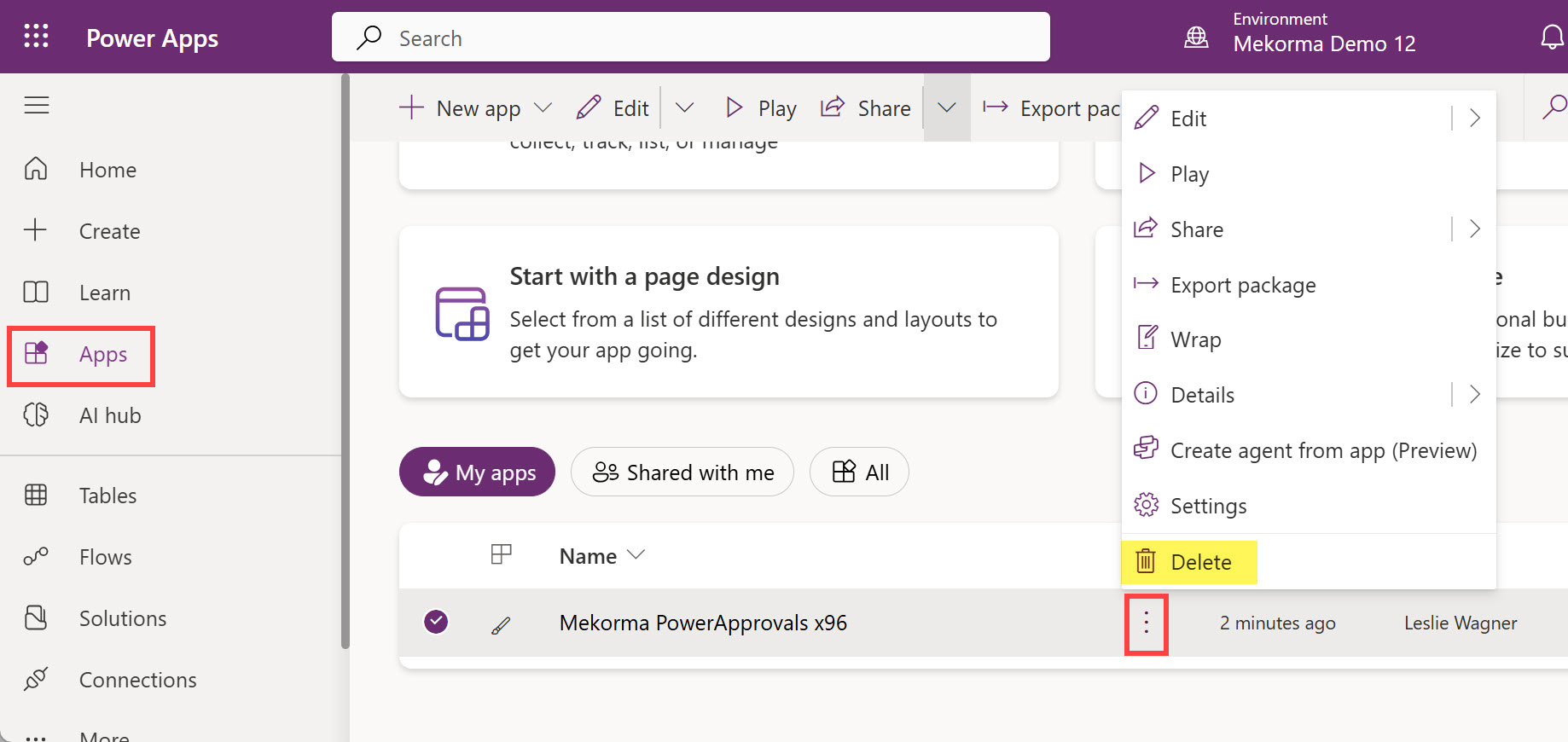
- Click Apps. Click the ellipsis next to Mekorma PowerApprovals x96 and select Delete.
![]()
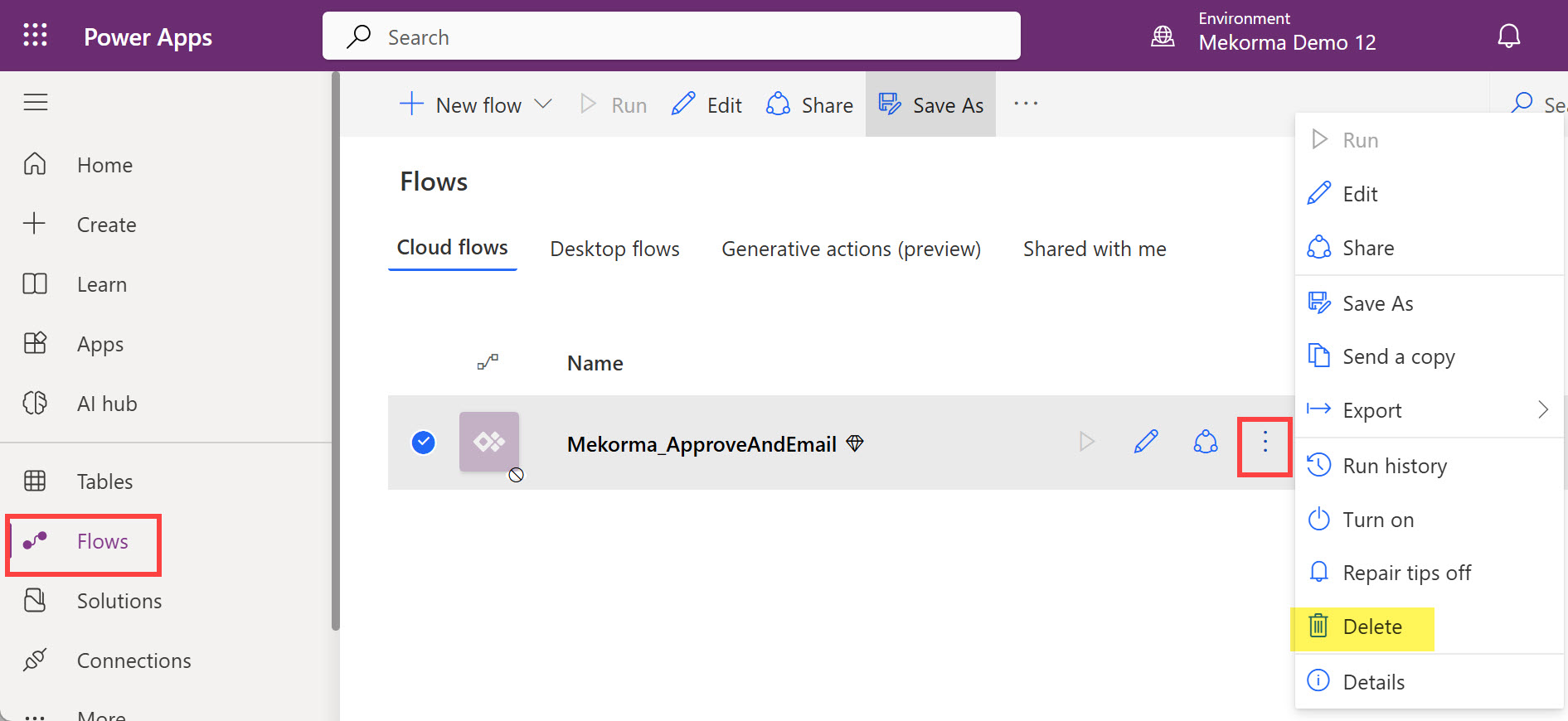
- Click Flows. Click the ellipsis next to Mekorma_ApproveAndEmail and select Delete.
![]()
- You are now ready for the next step, Importing the Power Approvals Solution for an Upgrade.
Last modified:
April 24, 2025