


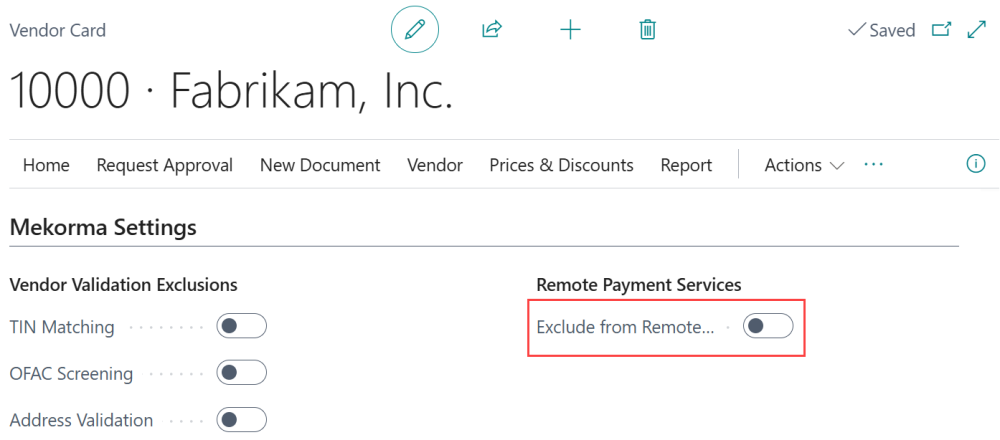
Vendors that are marked to be excluded from remote payments in the vendor card will not be included in any remote payments batches. To enable/disable a specific vendor for remote payments, go to the vendor card > Mekorma settings > Remote Payment Services and toggle Exclude from Remote Payment.
Last modified:
August 14, 2025
Need more help with this?
We value your input. Let us know which features you want to see in our products.