


There are scenarios in which you may find duplicate payment or check numbers. Remote Payment Services has the ability to renumber payments so that there are no duplicate numbers.
Renumber at the payment level for ad hoc updates, or enable automatic renumbering that always runs in the background.
Renumbering at the payment level
The following scenario is an example of when renumbering payments is necessary:
- Add payments to a batch.

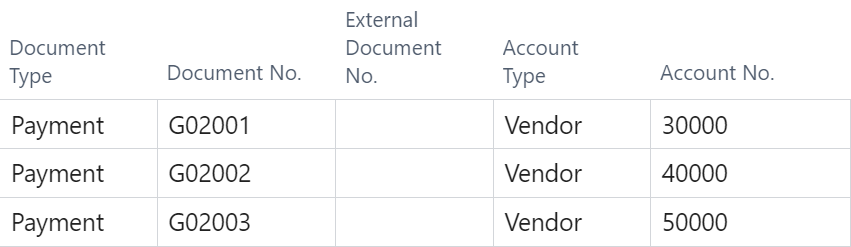
- Delete one of those payments, in this case G02002.

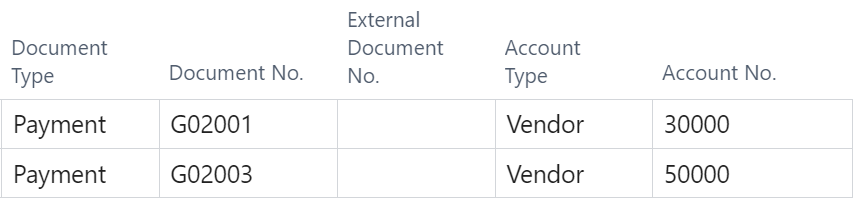
- Submit the batch, ensuring you preview the posting first.
- Post the batch.
- Your next batch will begin with the previously deleted payment number, in this example G02002.
- Business Central logic dictates that any subsequent payments added to that batch are numerically incremented from the first payment number. This causes duplicate payment numbers. G02003 was in the previous batch, and is duplicated in this batch.

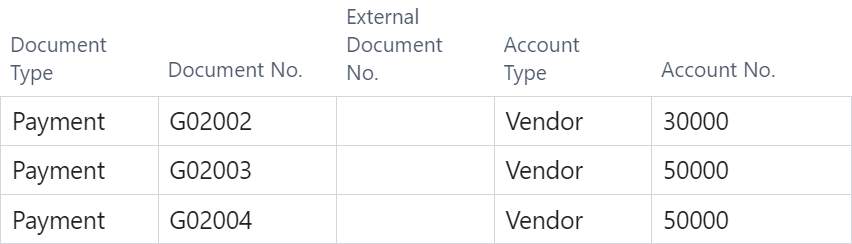
- The correct payment numbers should be G02002, G02004, and G02005. The posting preview informs you that there is already an existing check number, G02003.


- To renumber the payments, open the RPS menu (Actions > Mekorma > RPS) and select Renumber Payment/Check Numbers.

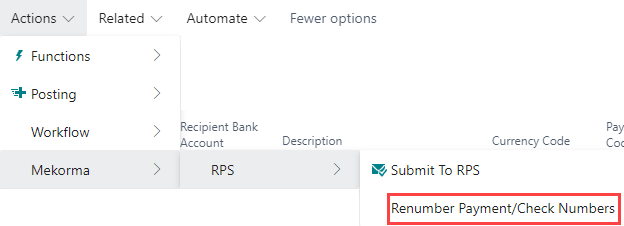
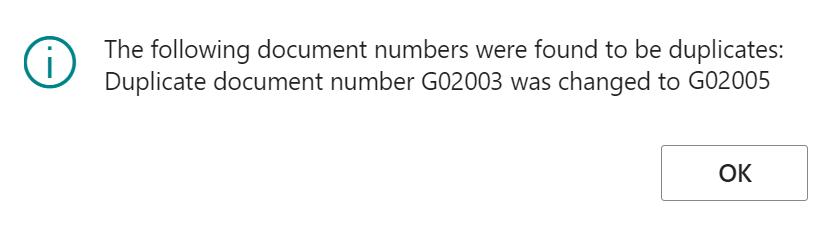
- The system searches for any duplicate numbers and adjusts them automatically, displaying an alert to inform you of the specific numbers changed.

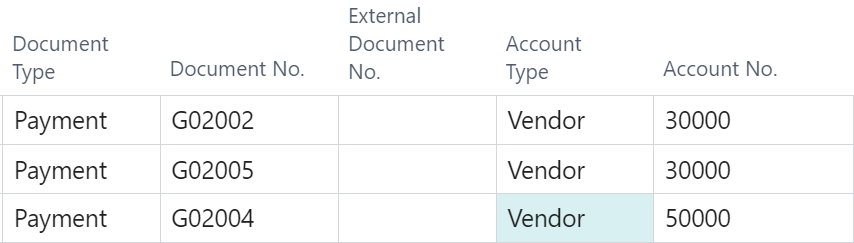
- Notice that the second payment, formerly G02003, has changed to the first unused number in your number series, G02005. You can now successfully submit the batch to your remote payment provider.

Automatic renumbering
If you find yourself regularly renumbering payment numbers, you can set your payment numbers to update automatically.
In Mekorma RPS Configuration, enable Automate Duplicate Doc Renumbering.
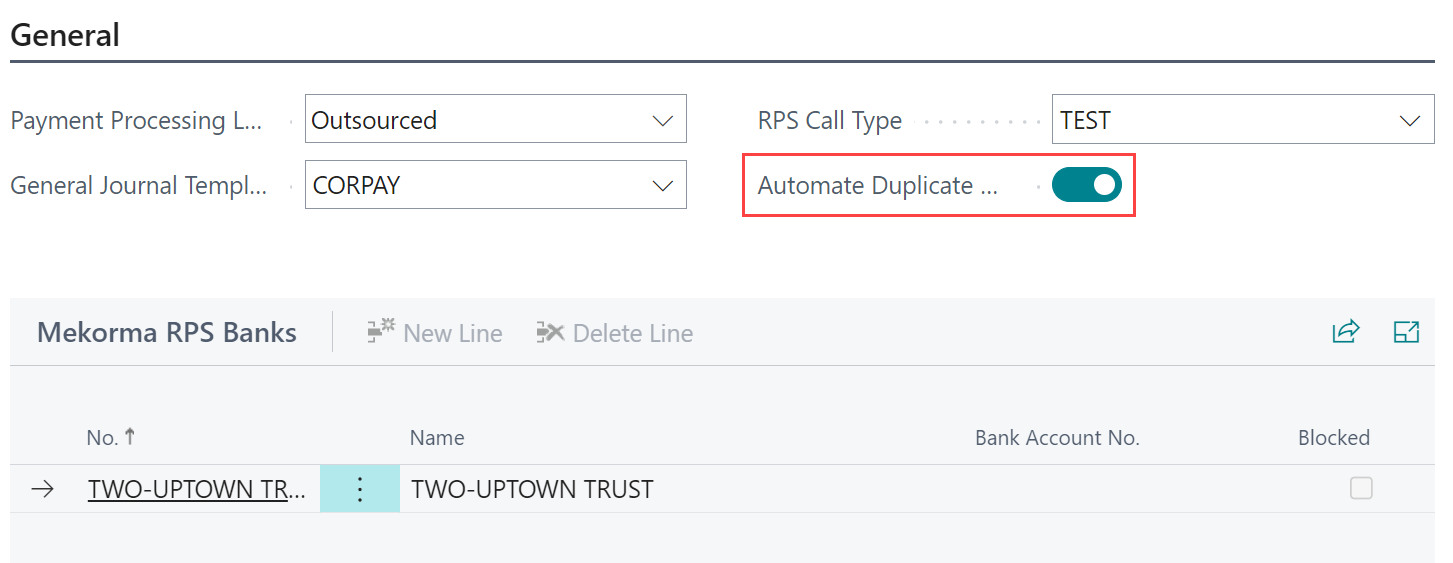
When enabled, it automatically runs the updates when you preview your posting. If there are any duplicate numbers at that time, they are adjusted.
If need be, turn this feature off at any time.
Need more help with this?
We value your input. Let us know which features you want to see in our products.