


Select specific layouts for a check report in the Bank Check Report Layout lookup, also known as the Check Report Layout Library.
If you have created your own custom check report layouts, upload them into Business Central, attach them to the appropriate check reports, and select them from this library.
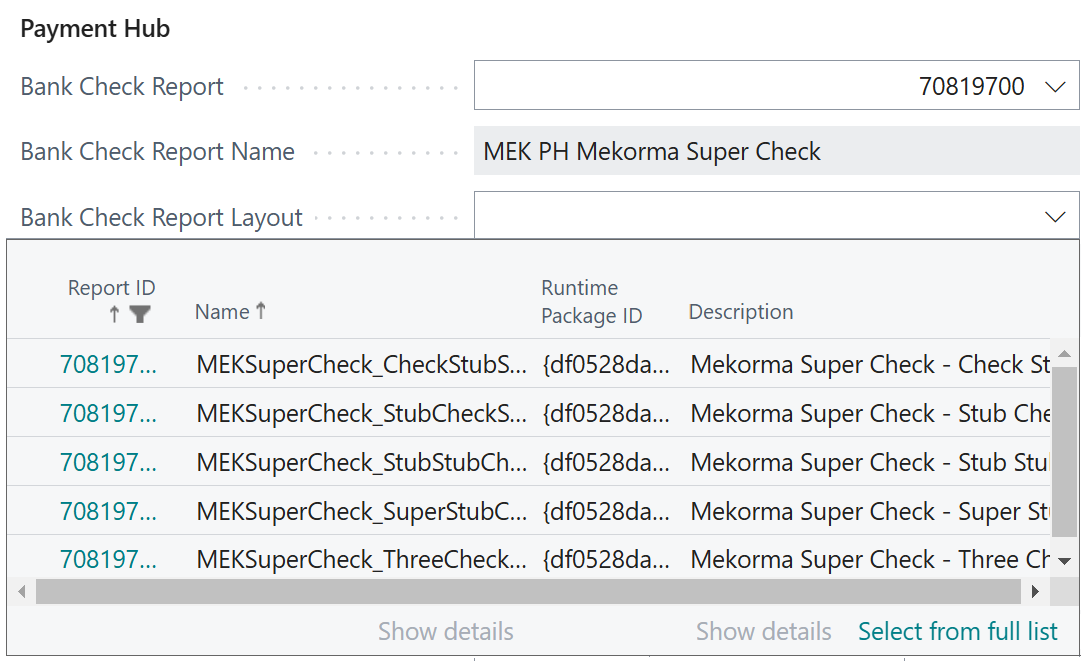
- Go to Bank Accounts.
- Select the relevant bank account card.
- In Mekorma Settings, ensure you have selected the Mekorma Super Check report.
- Open the Bank Check Report Layout library.
- Select the preferred check report layout. If you need to use a different layout temporarily, you can change the check report layout in the payment settings during payment processing.
The Mekorma Super Check report offers 5 check report layouts, along with 5 check report layouts built specifically using Deluxe check stock.
| Layout Name | Default Stub Size |
|---|---|
| Mekorma Super Check – Check Stub Stub Layout | 10 |
| Mekorma Super Check – Stub Check Stub Layout | 10 |
| Mekorma Super Check – Stub Stub Check Layout | 10 |
| Mekorma Super Check – Super Stub Check Layout | 30 |
| Mekorma Super Check – Three Checks per Page Layout | 10 |
| Check Stub Stub Deluxe Layout | 10 |
| Stub Check Stub Deluxe Layout | 10 |
| Stub Stub Check Deluxe Layout | 10 |
| Super Stub Check Deluxe Layout | 30 |
| Three Checks per Page Deluxe Layout | 10 |
Note: After an update to Business Central, check reports you have customized may revert to their original form. See our topic on troubleshooting to ensure your check report datasets are synchronized when your environment is updated.
Note: Native to Business Central but important to Mekorma users, you can adjust how dates appear on checks from the Vendor Card. In the Payment section, Check Date Format and Check Date Separator dictate how the date appears on your checks. Mekorma check layouts honor this functionality. If you need more control over formatting, see our topic on customizing date formats with Microsoft Report Builder.
Need more help with this?
We value your input. Let us know which features you want to see in our products.