


Select specific batches across all your companies to submit for workflow approval. Before submitting for approval with Action Board, ensure approval workflow is enabled). To submit a batch for approval:
- Go to Action Board.
- Select Submit Batches for Approval from the Action menu.
- Mark the batch(es) you want to submit for approval.

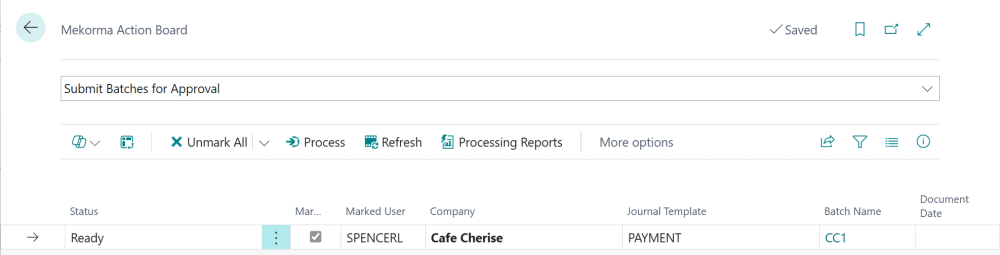
- Click Process to send the batches for approval via your organization’s approval rules.
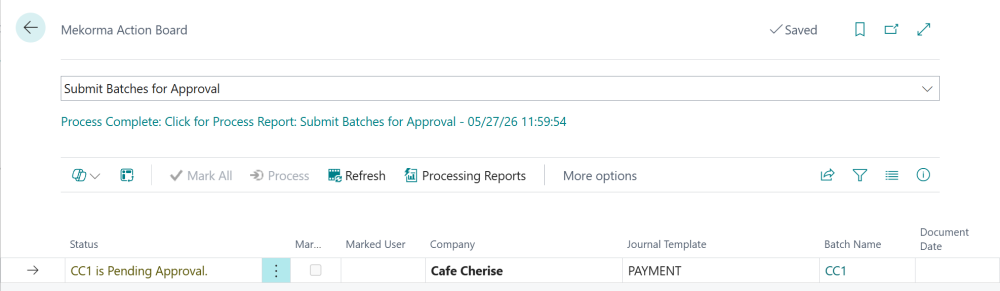
- Once the approval requests have processed, the status updates to < batch name > is Pending Approval.

- As batches are approved, their status updates to Payments Processable. Payments with this status cannot be resubmitted for approval.

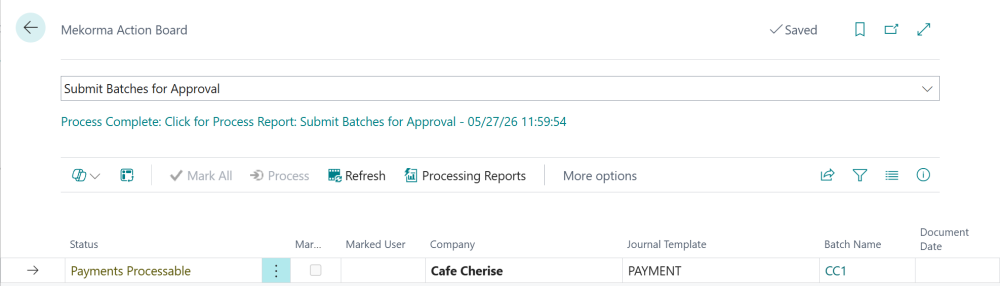
- When the status is Payments Processable, you can move to the next step of Action Board processing.
Review Action Board processing
To review information related to submitting batches for approval, click the info icon to open the Action Board Journal Check.
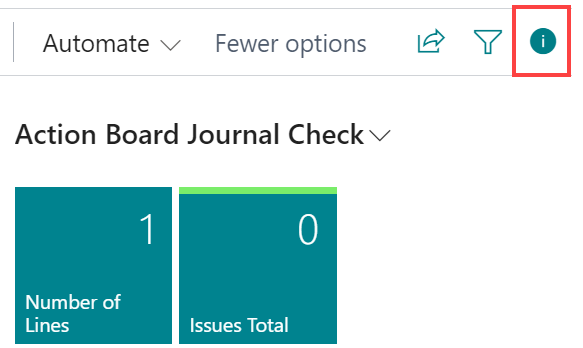
- Review any issues by clicking Issues Total. A list page opens indicating any errors or validation issues with the respective batch.
- To view the batch details, click Number of Lines. This opens the Payment Journal in a new browser tab, with the batch pre-populated. The tab will be logged into the company where the batch exists.
- Make any corrections or complete any processes to the batch as is required to allow the batch to process.
Last modified:
June 9, 2026
Need more help with this?
We value your input. Let us know which features you want to see in our products.